
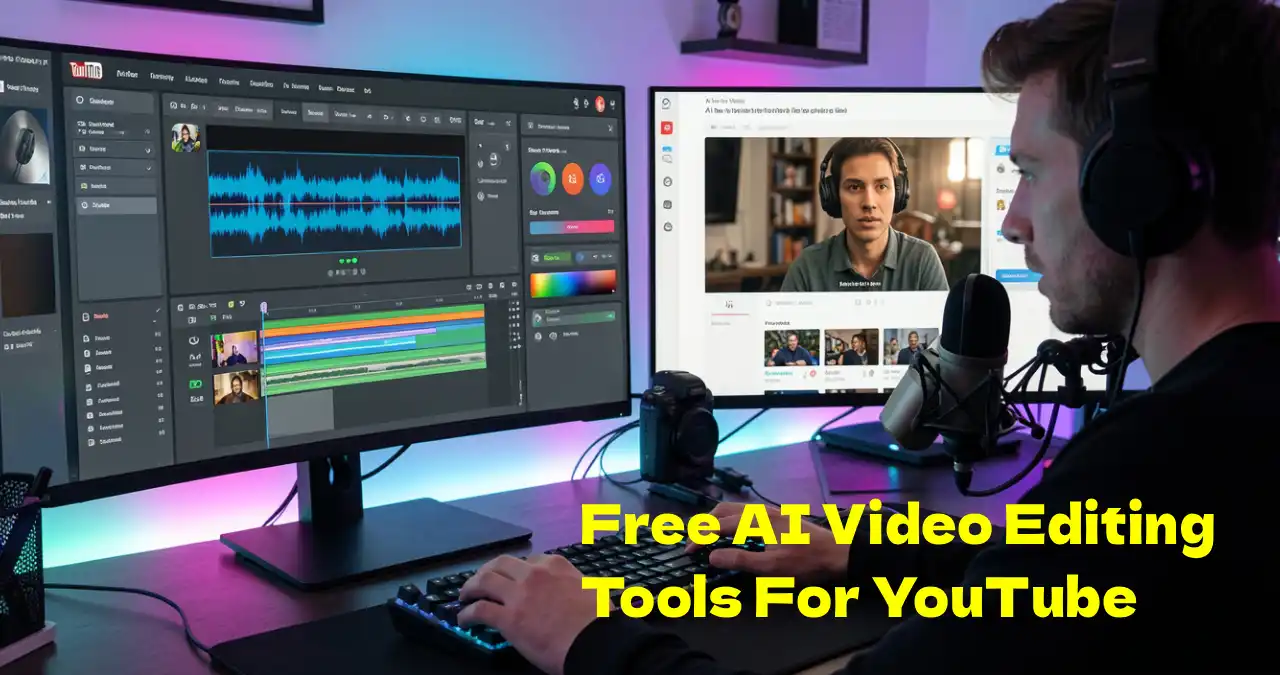

The experienced creators improve the workflow using free AI video editing tools for YouTube. For beginners, the free AI tools like ClipChamp are for browser editing in Windows. In our testing, Invideo AI helps in converting a script into a video. Creators prefer DaVinci Resolve as it is a professional video editing software. In the article, discover a free AI video maker for a popular platform like YouTube. So, the production and engagement increase exponentially.
Table of Contents
What are AI Video Editing Tools?
AI Video Editing Tools are AI-enabled tools for YouTube video creation. Youtubers use these tools to reduce footage, delete filler words and change colour. The content creators take the help of AI to create subtitles and improve their quality. AI video editing tools save the valuable time of professional and amateur editors. These tools are good for shorts creation, talking head production and auto captions.
Benefits of Free AI Video Editing Tools for YouTube
AI video editing has a wide range of benefits. They are as follows:
- Saves time: Daily activities come under automation, like scene identification, editing a video, and removing silence. So, it reduces the manual work. It saves time with auto-cut. It improves retention with captions and jump cuts.
- Increases output and innovation: AI allows editors to share a story quickly with their creativity.
- Enhances the regularity and standard: The tools enhance the colour and quality of audio. But it decreases the noise. It maintains the sound and appearance of the video.
- Affordable rate: Reduces the need for big groups and equipment for video production.
- Increases content: It produces the best reels and YouTube Shorts.
Tips to Choose The Right Tool
To choose the right AI video editor for beginners, we need to check the following aspects:
- Style of editing: The video can be a talking head or cinematic style.
- AI Features: The AI tools must have some features that assist in automation.
- Standard of export: The resolution of the video can be 1080p or 4K.
- Watermark: The free version has a watermark.
Best Tools by Use Case
I checked the seven AI video editing tools and found the following:
- Best for Beginners: Vizard.
- Best for Shorts: Vizard AI.
- Best for Beginners: Clipchamp
- Best for Professionals: DaVinci Resolve
- Best for Faceless Channels: InVideo AI
Free Vs Paid Comparison of free AI video editing tools for YouTube
| Tool | Free Watermark | Export quality (free) | Best Use Case |
| Clipchamp | No | 1080p | Perfect all-rounder for starters |
| DaVinci Resolve | No | 4K | Perfect pro editor for high-end edits |
| Invideo | Yes | 720p | Producing videos using a script or text |
| Descript | Yes | 720p | Correction of video through proofreading of transcripts |
| Vizard | Yes | 720p | Changing long-format videos to shorts |
| Pictory | Yes (in trial mode) | 720p | Converting blog to video via automation. |
| Gling | Yes (in trial mode) | Not applicable | Silence removal is automatic. |
Best Free AI Video Editing Tool for Beginners
Here are the top free AI video editors for YouTube creators.
1. Invideo AI
Invideo presents an AI-supported tool which changes scripts, text, and concepts into interesting videos for social media and YouTube storytelling. You can create instant reels, videos with cinematic effects. You can also carry out complete video editing having high-level controls.
Features
- AI-supported text-to-video creation: You will get a video using this AI tool from text.
- Text-related video editing: It edits videos using standard text commands.
- Voiceover and AI avatar: Produce videos with the help of genuine AI avatars for a human voice.
- Voice cloning: In the video, people can use their own voice for a modified voiceover.
- Vast media collection: One can browse more than 16 million stock media assets.
- Tools for joint effort: Best for a group activity.
- Help on different websites: It produces and modifies videos for social media like Instagram, YouTube and Facebook.
- Editing text and audio: This is one of the best YouTube editing tools for adding music to a video and text to a GIF.
- AI features: You can do product clones, voice clones, AI avatar, video translator and subtitles.
Pros
- Multilingual assistance: It translates in 50+ languages with voiceover through auto translation.
- Mobile application: Presents a mobile application for video creation.
- AI tools: It creates voiceover, voice cloning and AI script.
- Wide range of assets: It has a wide range of video clips and stock images.
- User-friendly: It is an intuitive platform.
Cons
- Restricted free scheme: A watermark is present in the free plan, which is not good for office use.
- Takes time to learn high-level editing: You can create videos at a basic level easily. It takes time to learn advanced editing.
- Reliance on the internet connection: As a cloud application, it needs a strong internet connection.
- Multiple video editing: This AI tool may take up several videos or AI stock images.
Pricing
- Free: $0/month
- Plus: $25/month
- Max: $60 /month
- Generative: $200/month
Best for
Small business owners, digital marketers, social media managers and content creators.
Why It’s Perfect for YouTube
It improves the system of video production by changing ordinary prompts to complete videos. It consists of subtitles, footage, voiceover and scripts.
2. Microsoft Clipchamp
Microsoft Clipchamp presents an AI-supported professional video editing tool for beginners in Windows 11. This is one of the best free AI video editors for YouTube beginners.
Features
- Auto-cut: Find out and delete silent pauses along with the filler words.
- Visual improvement or AI audio: It reduces noise and removes the background image.
- Auto subtitle creator: Produces precise subtitles in different languages.
- AI voiceover: It modifies the speed, pitch, emotion and voice. It can change text to speech in more than 80 languages.
- Auto compose: You can create montages and slideshows by selecting a style quickly.
- Sticker and emoji: It offers stickers and emojis to make the video interesting.
- Platforms: Best for platforms like YouTube, TikTok, Instagram and Facebook.
- Facebook video ads: Ideal if you are interested in promoting a company through Facebook video ads.
Pros
- Reach and simplicity: Created for Windows for beginners.
- Features without charge: Presents 1080p resolution free with unlimited storage in the cloud.
- AI tools: Unique power to convert text into speech using different languages and voices.
- Asset collection: You will discover a fascinating range of images, music and stock videos.
- Instant edits: Perfect for quick creation in social media.
Cons
- Problem with the results: It is slow for long assignments.
- Reliance on the internet: It needs the stability and strength of internet connectivity.
- Restricted higher-level features: It does not have modern tools like colour grading and motion graphics.
- Lock in the subscription: The stock content and 4K export are premium features.
- Restriction in storage: The assignments are stored in cloud format under a limited space.
Pricing
- Free Plan: $0
- Premium: $99 per year
Best for
Professionals, casual creators, beginners, small business marketing, educational tutorials, social media and gaming.
Why It’s Perfect for YouTube
This is a user-friendly platform with built-in assets, direct integration and quick video editing.
3. Vizard AI
Vizard AI is an AI -supported website for video editing to change videos in long format like interviews, webinars and podcasts to viral short videos. This is one of the best AI tools for YouTube Short.
Features
- Image to video: This tool can convert any image to video.
- Text to video: It can convert text to video.
- Video splitter: It can divide a video.
- Auto subtitle generator: It can generate subtitles automatically.
Pros
- Automation: It saves a lot of time by producing short clips of long videos.
- Simple way of editing: The user-friendly editing is based on text. It reduces the video by reducing the text.
- Formatting: It changes the video to a vertical aspect ratio, i.e. 9:16.
Cons
- Restriction in free version: The free plan has a watermark with limited export resolution.
- Internet: The internet link should be stable for video editing.
- Rendering is slow: Creators feel that the rendering time is slow.
Pricing
- Free: $0
- Creator: $14.5 per month
- Business: $19.5 per month
Best for
Viral social media clips on YouTube Shorts, Reels and TikTok.
Why It’s Perfect for YouTube
It changes lengthy videos to short-form videos in YouTube Shorts. Apply it when you want to save time for editing. It creates subtitles for YouTube in several languages.
4. Gling AI
Gling AI is an AI-supported video editing software for content creators, podcasters and YouTubers.
Features
- Saves our valuable time: It deletes errors in the video automatically.
- Remarkable content: It has AI captions, autoframing, and AI short clips.
- Increases the chance of success: It can create a title and a chapter and suggest the next video.
Pros
- Saves a lot of time: It deletes the errors and dead air quickly.
- User friendliness: The talking head videos are good for YouTubers.
- Transcriptions: Takes the help of AI for precise transcription.
- Smooth connection: It links with websites like Final Cut Pro, DaVinci Pro and Adobe Premiere easily.
Cons
- Restriction in language: Ideal if you are looking for content in the English language.
- Problems of output: Users encounter a few pauses at the time of editing.
- Restricted scope: It is good for talking head content for one person. It is not good for multicam, B-roll or complex cinematic videos.
Pricing
- Free: $0
- Plus: $20 per month
- Pro: $40 per month
- Elite: $100 per month
Best for
Use this when you are using YouTube and working as trainers and podcasters.
Why It’s Perfect for YouTube
You can create chapters and titles, which are suitable for YouTube. The user will get new ideas for video creation.
5. DaVinci Resolve
DaVinci Resolve is a non-linear video editing tool with colour grading and colour correction. It has audio post-production and visual effects.
Features
- AI intelliscript: It produces timelines using text script.
- AI animated subtitles: It will animate the subtitles.
- AI Multicam smartswitch: It will organize the timeline through different angles of the camera.
- AI audio assistant: It conducts an interpretation of the audio.
- Colour Warper: It consists of Death Map, Magic Mask and Chroma Warp. Colour correction takes place in real time.
- Free download: You can download the software here.
- Cut and edit: The creator will find the voiceover palette and keyframe editing.
- Reducing noise: UltraNR noise reduction will control the background noise.
- Fusion: A multi-layer pipeline and deep image compositing are present.
- Advanced features: Advanced volume rendering is present.
- Next generation engineering: AI set extender and remote monitoring via SRT are present.
- AI tools: AI dialogue matcher, AI music editor, and AI voice convert are available.
Pros
- Best correction in colour: Presents a Hollywood-style colour grading.
- Perfect free version: Free version has 95% features without watermarks, accompanied by Fairlight, fusion and high-level editing.
- Holistic workflow: Specialized tools for sound design, colour correction, visual effects and editing are available.
- Output: GPU-supported processing is present for video creation and playback.
Cons
- Time-consuming to learn: It takes time to learn complex software.
- Huge demand in hardware: It needs a strong GPU and CPU, with a lag in previous laptops.
- Tough to explore: It is hard to browse the secret panels and workflows.
- Restricted joint effort: Certain tools for group activities are present in the paid version.
Pricing
- Free: $0
- Studio: $295
- Speed Editor: $395
- Editor Keyboard: $595
- Micro Panel: $795
- Mini Panel: $1995
Best for
Multi-camera editing, YouTubers, indie filmmakers, and feature films.
Who Should Avoid it
Davinci Resolve is not meant for those who need customization at a deep level, users with low-power computers and beginners who are not comfortable with technical platforms.
Why It’s Perfect for YouTube
It has special effects with inbuilt social media tools, unique color grading, quick YouTube export, holistic workflow and unmatched output.
6. Pictory AI
Pictlory ai presents a cloud-oriented video creation website created to assist marketers, content creators and businesses with the best videos quickly without any skill in video editing.
Features
- Changes script to videos: It converts scripts in written form to articles. It consists of voiceover, music and stock footage.
- Converting blog to a video: Changes URL-based blog posts to a video in summary form without human intervention.
- Editing video with the help of text: It permits people to proofread video recordings through the proofreading of text.
- Main part in video: It takes out the main topics automatically from videos in long format. It produces reels, which are highly engaging.
- Creates subtitles: It produces subtitles to improve access, along with involvement in social media.
- AI-enabled voiceover: It produces genuine AI-supported voiceovers in different languages and accents.
- Stock and visual collection: There are more than 10 million images and stock videos.
Pros
- Saves time: It converts scripts or blog posts to videos.
- Simplicity: One does not need any editing talent to use this tool.
- Using content in another way: It is remarkable for producing short snippets from a YouTube video in long format.
- Adding subtitles automatically: It produces subtitles without human intervention.
- Wide collection of media: It explores videos and images royalty-free.
Cons
- Restricted modification: It does not have complete timeline-related editing along with high-level animation facilities.
- Monotonous voiceover: AI-enabled voices are fake, especially for big assignments.
- Out-of-context visual effects: Sometimes, AI chooses stock footage. But it will never fit with the text having manual editing.
- Lack of mobile application: It does not have a proper mobile app. The desktop application offers restricted editing.
Pricing
- Starter: $25
- Professional: $35
- Team: $119
- Enterprise: Custom
Best for
Marketing, social media and YouTube.
Why It’s Perfect for YouTube
You get everything you need in creating a YouTube video, like AI voice, quick video creation, and a big media library.
7. Descript AI
Descript is an AI-supported video and audio editing tool that deals with text related editing, collaboration and studio sound.
Features
- Editing based on text: It proofreads the transcript automatically.
- Studio sound: An AI-supported tool which extracts noise from the background and improves the quality of voice.
- Voice cloning and overdub: The members can copy their own voice, and they can add or remove lines by writing text.
- Taking out filler words: It identifies and takes out filler words automatically.
- AI Eye contact: It modifies the gaze of the speaker, and it will seem that the person is watching the camera.
Pros
- Editing using text: It is really simple to edit a video or audio.
- Deletes filler words and silence: It saves a lot of time by removing the filler words.
- Studio sound: AI improves the audio quality to a professional level.
- Voice cloning: It solves the errors in the audio by introducing new text in a personal voice.
- Transcribing automatically: It is precise and quick, ideal for producing subtitles.
- Screen recording: Simple and quick editing facility.
Cons
- Consumes time in learning: Generally, editors look for a workflow with the priority on text that is confusing initially.
- Problem in productivity: It crashes quite often with resource orientation.
- Restriction in high-level editing: It does not have high-quality motion graphics and colour grading.
- Needs internet connection: It requires a strong internet connection for transcribing using the cloud and proofreading.
Pricing
- Hobbyist: $16
- Creator: $24
- Business: $50
- Enterprise: Custom
Best for
Podcasters, YouTubers, content creators and marketers.
Why It’s Perfect for YouTube
The platform offers direct posting, quick repurposing, creation of captions and subtitles automatically, voice cloning, and AI-supported studio sound.
Comparison of AI Video Editing Tools
| Tool | Best for | Key Strength |
| Invideo AI | Social creators and marketers | Prompt-to-video accompanied by captions, voiceover and stock. |
| Vizard AI | Creators for long-form videos and podcasters | Reusing long videos to short form videos. |
| Gling AI | Long-form AI video with cinematic effect. | High-quality cinematic video creation using a prompt |
| Pictory AI | Perfect for bloggers and content marketers | Changes blogs to corporate video snippets |
| Descript AI | Interviewers and podcasters | Video editing by text-based transcription |
| Clipchamp | Users of Windows and freshers | Editing in browser, free and quick, with auto creation by AI. |
| DaVinci Resolve | Editors and professionals | Strong, Hollywood-type AI editing. |
Limitations of Free AI Video Editors
Free AI video editors have some limitations, and they are as follows:
- Export Limit: The free versions have some restrictions on export.
- Watermark: You will find a watermark in the trial version.
- AI accuracy: The AI fails to understand the emotional side, and the production is quite generic in nature.
How to Select The Perfect AI Video Editor
The AI video editing has a bright future, and some of the brilliant prospects are as follows:
- Precise subtitle creation: You can create subtitles with a high level of accuracy.
- Deleting gaps: The video editor can remove the unnecessary gaps from the videos.
- Creating a summary: You can create a summary of long-form video content easily.
- Copyright-free content: It helps us find the right content which is free from copyright.
My Experience of Testing Free AI Video Editing Tools for YouTube
I am using the free AI tools for video editing for YouTube, and found that some tools are really useful. I found Clipchamp is good for gaming shorts and daily life vlogs. I discovered that Descript is perfect for podcasts and interviews. I examined Gling and found that it is ideal for talking before the camera. After checking Vizard, I found that it is great for making short videos from long-form videos.
Final Recommendation of Free AI Video Editing Tools for YouTube
DaVinci Resolve: This tool is great for colour grading, cinematic vlogs and YouTube tutorials. The free plan has 95% features without a watermark and nearly 4K export (3840 x 2160 pixels).
Clipchamp: For YouTube, you can create listicle videos, gaming shorts and ordinary vlogs. The free plan consists of exports of 1080p without a watermark.
Descript: It is ideal for interviews and podcasts on YouTube. The free version has a transcription of one hour. Watermark is present in the exports.
Gling: It is perfect for removing raw footage of a person having a conversation in front of a camera. The free plan has one free video or the presence of a watermark in each video.
Vizard: This is perfect for vertical video clips or repurposing of long podcasts. The free plan has a resolution of 720p and a watermark.
Invideo: Even though the free plan has a big watermark, it is perfect for a faceless YouTube channel, promo and explainer videos.
Pictory: It is perfect for converting text to video and creating a summary of a lengthy video. There is a watermark in the free trial, and one cannot export the video without payment.
Conclusion
Finally, the free AI video editing tools for YouTube rely on particular requirements. Begin quick editing on social media using AI tools. If you are a professional, you can use advanced tools. Those who want to reduce the editing time, they can use AI video editing tools confidently. It is good for storytelling and engagement on YouTube.
FAQ
What is the best free AI video editor in 2026?
In 2026, the top free AI video editing tools for YouTube will depend on your requirements. For private video production, Invideo AI is the top selection with qualities like AI avatars and text-to-video. ClipChamp and DaVinci Resolve are perfect for instant editing along with content on social media. On the other hand, DaVinci Resolve presents amazing editing using high-quality tools, and all of them have a free plan.
Are AI video editing tools good for beginners?
Definitely. AI video editing tools are created with automation and a user-friendly platform. Clipchamp is a tool for beginners as they provide drag-and-drop facilities, assisted workflows and templates. For this reason, editing is quite simple without any prior knowledge.
Which AI tool is best for YouTube Shorts?
For YouTube Shorts, Invideo AI is excellent. Vizard AI is a tool that converts long videos into short videos. Perfect for vertical shorts, which have the potential to be viral. Invideo AI is a strong web-based AI video generator for producing high-definition videos for explainers, marketing and YouTube Shorts.
Are free AI video editors safe?
AI video editors are secure, but the safety relies on a particular tool, a policy for data privacy and the way of use. The risks include deepfakes, copyright issues and inappropriate ads. In order to ensure safety, we need to check the terms of service, apply popular tools, and bypass sensitive information.
[…] Vids is an AI-powered video editing and creation platform within the Google Workspace for group activities in the […]