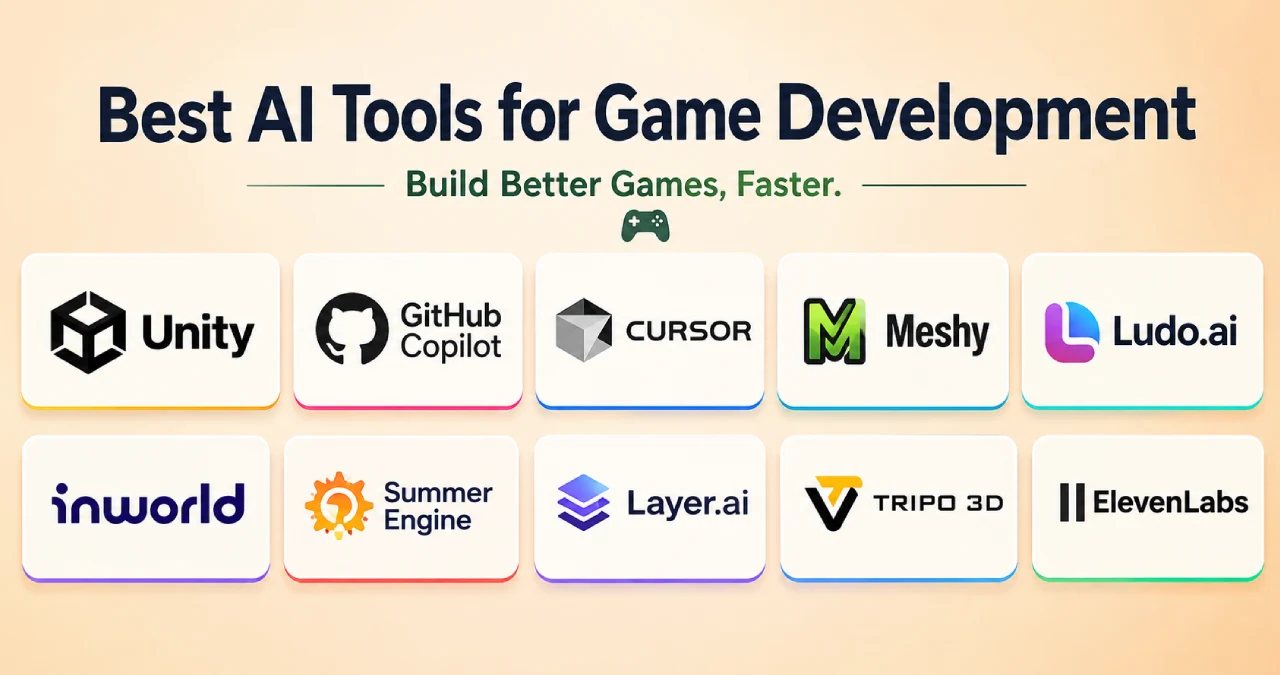

If you are looking for the best AI tools for game development in 2026, the answer is that every tool is best and useful for different parts. Each tool is best for its different and important functions in game development. But can you understand why these tools are considered the best AI game development tools? Being the highest-quality tools depends on three specific factors: features, uses, and pricing. So if you are a game developer, choose the best one from the following tools list based on these important factors.
Table of Contents
AI Tools Matrix For Game Development
| Workflow Stage | Primary Tool(s) | Primary Use Case |
| In-Engine | Summer Engine, | Direct engine automation and live debugging |
| Code | Cursor, GitHub Copilot | Scripting mechanics and complex refactoring |
| 3D Assets | Meshy, Tripo 3D | Mesh creation, remeshing, and auto-rigging |
| 2D Assets | Scenario, Layer.ai | Style-consistent sprites and textures |
| Audio & NPCs | ElevenLabs, Inworld AI | Dynamic dialogue, voice acting, and FX |
Why Are AI Tools Important in Game Development?
Artificial intelligence is a game changer. It is working at a high level in every field. Similarly, it is also helping developers to make engaging games with realistic effects. AI is developing games by enlarging the output of a game and enhancing its manual process as well. The AI within the tools helps developers debug the code, create realistic dialogs, and develop an immersive game plot, helping developers make complex games faster than the traditional process. So, we can say that AI tools help developers in game development, improving
- Coding and debugging
- Indie Studios
- Quality
- Prototyping
10 Best AI Game Developer Tools By Features, Uses, And Price
AI game development tools are reshaping the gaming industry by improving game quality and increasing the ROAS. The changing of the game industry lies in the integration of AI features and uses that support changes in changing of game design. Content generation and personalized gaming experiences. Want to know which are the top AI game development tools? Check out the list below.
1. Unity AI
Unity AI is a combination of AI tools that are designed to boost game development and automate routine workflows. Its functions are combined with the In-Editor AI assistant, AI Generators, AI gateway, and Unity MCP server.
Features
- AI-assisted coding – Generates and modifies game scripts.
- Debugging – Helps identify and fix coding errors.
- Scene creation – Creates and modifies game scenes using natural-language prompts.
- Asset generation – Creates 2D, 3D, audio, textures, and other development assets.
- AI Assistant – Provides project-aware help directly inside Unity.
- AI Gateway – Connects external AI agents such as Claude, Codex, and Gemini.
- MCP Server – Allows compatible AI tools to interact with the Unity Editor.
- Agent modes – Support different levels of AI assistance, from answering questions to performing tasks.
Best use for
- Write and modify code–Generate scripts and help implement gameplay features.
- Debug problems–Analyze errors and suggest or make fixes within the project.
- Build scenes–Create or modify GameObjects and other scene elements using natural-language instructions.
- Generate assets–Create development-stage materials, sounds, 3D models, sprites, and other assets.
- Understand projects–The Assistant can use context from your scene hierarchy, GameObjects, packages, code, and project settings.
- Work from external IDEs–The Unity MCP Server allows compatible AI tools and IDEs to interact with the Unity Editor
Price
- For personal use, it is free, along with some limitations
- For experienced teams and solo developers, the Pro plan is available monthly at $210 and yearly at $2310.
2.GitHub Copilot
GitHub Copilot software is an AI assistant that helps developers to understand how to understand codes, write then and how to shift them. The AI assistant in this software suggests code to developers, answers questions about the coding database, makes changes, and reviews the tasks that are given.
Features
- Solution code-generating ability
- Input code describer
- Offers the option to choose multiple large language models
- Conversion of code comments into runnable code
- Repetitive section code
Best Use for
- Understand codes
- Customize responses
- Write codes
- Change codes
- Review codes
- Build a gaming application
Price
- GitHub Copilot also has a free tier for basic uses.
- For an everyday coding experience, the Pro plan is available at $ 4 USD per month, and for enterprise it costs about $21 USD per month.
3. Cursor
Cursor is an AI editor and coding agent which use to change developers’ experience while developing code for a game. It’s not just AI software that only works as a coding agent, but its chatbot helps developers to interact with it naturally.
Features
- Agentic capabilities for automating multiple actions
- Natural language code editor
- Generating code without context
- Review codes
Best use for
- Accelerate software development tasks daily
- Generating codes
- Understand the broader context of code database
- Quick spin of prototypes and iterate concepts
Price
- The hobby plan is completely free, along with limited agent requests and access.
- For individual use, the Pro plan costs about $20 per month, the Pro+ costs about $60, and the ultra is costs about $200 on a monthly basis.
- For team uses, the Cursor is cost $40 at the standard level and $120 for premium monthly.
4. Meshy
Meshy is a web app that helps generate text-to-3D and images-to-3D while developing any game. It turns textured 3D models into 3D models within a minute. This software is mostly used by game artists and hobbyists.
Features
- Text-to-3D model creation
- Image-to-3D model creation
- Text-to-texture creation
- Captivating animation to bring 3D models to life
Best use for
- The game design tool is best used for 3D animation
- VFX effects
- Concept visualization
- Character creation
- Rapid prototyping
- Faster assets production
Pricing
- Apart from the free tier, the Pro plan is available at $20 per month with 1000 credits
- The premium plan is available at $40 per month with 3000 credits
- The Ultra plan is available at $100 per month with 8000 credits
5. Ludo.ai
Ludo.ai is an indie gaming tool that is used to develop games by creating game assets, animated sprite sheets, and other organized concepts. It feels less convincing as a full AI game maker.
Sure, Ludo can draft a basic browser prototype. But then you still have to guide it, run tests, and clean up the output. Often you also need a separate engine or a different dev workflow.
Features
- Game concept generator from keywords, genres, and themes
- GDD tool to organize machine stories, characters, and other parts of the game
- AI image generator
- 3D assets generator
Best use for
- Brainstorming new ideas
- Creating game concepts and GDDs
- Researching games and market trends
- Creating concept art and visual references
- Generating 2D sprites and animations
- Creating 3D game assets
- Generating game music and sound effects
- Visualizing gameplay and cutscenes
Price
Ludo.ai free plan is available up to 30 free credits
Its indie plan costs about $20monthly/ $15 yearly
The Pro plan costs about $50 monthly with 1000 credits
6. Inworld AI
Inworld AI is a platform that helps teams make characters that talk back in real time. It also supports voice interactions for games and other types of media.
When people are building games, they can use it to make non-player characters. These NPCs can hear what players say, understand it, answer out loud, and respond in the moment. That means less need for fixed lines that are written ahead of time.
Features
- AI-powered NPCs
- Real-time conversations
- Text-to-speech (TTS) ability
- Voice customization
- Multilingual support
- Observability and testing
Best Use for
- Creating conversational NPCs
- Preparing dynamic dialogs for games
- Allows NPCs to listen and respond via spoken voice dialog
- Prototyping AI gameplay
- Interactive storytelling
Pricing
- Inworld AI comes with five individual plans like in-demand, Creator, Builder, Developer, and Growth.
- In-demand is a free plan.
- Creator, Builder, Developer, and Growth plans come for $25, $100, $300, and $1500 monthly
7. Summer Engine
Summer Engine is an AI game engine that is built with professional-grade levels. It understands the entire project that developers want to follow to create a game. Moreover, it modifies the code, scenes, and assets through natural language instructions.
Features
- Unlimited assets storage
- Unlimited template library
- Generate real games and Claude code
- Unified experience
Best Use
- Best for beginner game developers to create codes
- Creation of natural language for games
- 2D and 3D game creation
- Can work as External AI agents
Pricing
- Free — $0, revenue-capped, community support
- Pro — $49/mo, no revenue cap, priority support
- Studio — $199/mo per seat, team tools, dedicated support
- Enterprise — Custom pricing, full source access, SLA support
8.Layer.ai
In an industry where speed and creativity define success, Layer AI gives game studios the edge, enabling them to produce professional in-game content, marketing, and live ops art faster than ever before.
Features
- Ability to generate unlimited game versions
- Consistency in style-wise asset generation
- Ability for pre-production and creative testing
- Useful editing tools
- Edit with prompt
- Animate images videos
- Creating videos
- Generating voice
Best use for
- Texture creator
- Animation and video
- Batch production
- 2D and 3D assets creation
- Gaming environment creation
Pricing
Layer AI uses a usage-based pricing model rather than monthly or per-user seat.
- 2D concept cost ~1 CU
- 2D environment with image cost ~1.6 CU
- 3D model draft with TripoAI costs ~20 CUs
9. Tripo 3D
Tripo 3D is another AI-powered 3D generating platform that usually transforms text prompts, single pictures, or multi-view images into textured.
Features
- Image to 3D model creation
- Smart segmentation
- Auto rigging
- Smart mesh generation
Best use for
- 3D character creation
- Create game props
- Rapid prototyping
- Game-ready asset creation
- 3D asset variations
Pricing
- Tripo 3D offers free plans along with paid ones.
- Pro plan costs about $20 per month
- Max plan costs about $90
10.ElevenLabs
This AI tool uses machine learning techniques to create high-quality synthetic voices in games. It is widely used for game development, videos, audiobooks, podcasts, dubbing, and virtual characters.
Features
- Multilingual speech
- Sound effects
- Dubbing
- Voice API
- Music generation
- Voice design
Best Use For
- Character voiceovers
- Interactive AI character learning
- Game sound effects
- Narration
pricing
- Free version available
- Starter plan starts at $6 monthly
- The Creator and Pro plans apparently cost about $22 and $99.
What Developers Can Get And What Not
| Tool | Pros | Cons |
| Unity AI | • Direct integration into the Unity Editor • Sentis enables real-time, on-device AI model execution without cloud latency • Muse assists with in-engine coding and asset drafting | • Restricted entirely to Unity • Muse requires dedicated point/credit subscriptions • Generative tools are still behind specialized standalone tools |
| GitHub Copilot | • Supports almost all major IDEs • Excellent inline autocomplete • Massive training set covering common game engine APIs | • Limited context window across large multi-file codebases • Focuses strictly on code; generates no visual or audio assets |
| Cursor | • Deep project-wide codebase indexing and context understanding• Multi-file code generation, refactoring, and agentic bug hunting• Seamlessly supports top AI models | • Replaces standard IDE workflow• Pro features require a monthly subscription• Strictly a code tool; offers no art or audio pipelines |
| Meshy | • Extremely fast conversion of text/images into textured 3D assets • Generates low-poly game-ready meshes with auto-retopology • Standard format exports for easy game engine import | • Complex or organic geometry often requires manual mesh cleanup and re-rigging • High-detail textures can lack sharp stylistic precision |
| Scenario | • Allows custom model training • Advanced canvas control, layers, and composition tools built for game workflows• Excellent API support for live asset generation | • Focused exclusively on 2D graphics • Model training requires a learning curve and asset curation• Credit-based pricing model |
| Inworld AI | • Powers real-time, unscripted dynamic NPC dialogue with memory and personality• Integrates directly with Unity, Unreal Engine, and Roblox • Highly customizable behavioral safety guards and relationship systems | • Cloud API dependency adds network latency and runtime subscription costs• Dynamic dialogue can occasionally hallucinate or break immersion • Requires complex tuning to keep NPCs on-script |
| Summer Engine | • Generates complete, functional 2D/3D games (scenes, GDScript, physics, assets) from prompts • Open-source core with full Godot 4 project export (no vendor lock-in) • Supports Model Context Protocol (MCP) to connect external AI agents | • Smaller ecosystem and community compared to Unity or Unreal Engine • Prompt-generated code and physics frequently require manual tweaking for polish |
| Layer.ai | • Built for studio pipelines with fine-tuned visual style matching • Superior tileable texture generation and background asset generation • Multi-layer vector/raster generation with enterprise collaboration tools | • Priced and tailored primarily for professional studios rather than solo indies • Limited strictly to 2D assets and materials |
| Tripo 3D | • Ultra-fast draft generation from simple prompts or sketch inputs • Great for rapid prototyping, background props, and greyboxing • Easy web interface and API integrations | • Mesh topology can be messy for skeletal animation or deformation • Less fine-grained material control compared to manual 3D sculpting |
| ElevenLabs | • Industry-leading realism, emotional expression, and accent control• Instant voice cloning and dynamic voiceover synthesis • Includes AI sound effect generation for environment design | • Usage-based character limits can become expensive for dialogue-heavy RPGs• Voice cloning requires strict licensing |
Conclusion
Choosing the right AI tool depends on where you are in the game development pipeline. Unity AI and Summer Engine excel at in-engine automation, Cursor and GitHub Copilot streamline coding, Meshy and Tripo 3D handle 3D asset creation, Scenario and Layer.ai deliver style-consistent 2D art, while Inworld AI and ElevenLabs bring characters to life through dialogue and voice. Rather than picking one all-in-one solution, most studios in 2026 combine several of these tools to cover coding, art, and audio needs. Evaluate your team’s workflow, budget, and project scale to build the AI stack that fits you best.
FAQs
Is AI replacing game devs?
Not completely. AI is automating some game-development tasks, but it is currently more accurate to describe it as changing developers’ workflows rather than replacing game developers altogether.
Is AI harming the gaming industry?
AI is changing the gaming industry rather than destroying it.
Can AI create a complete game?
AI can help generate code, assets, dialogue, environments, and other components, but most projects still require human developers to handle game design, integration, testing, balancing, and final decisions.
What is the best AI tool for game coding?
Unity AI is useful for developers working in Unity, while GitHub Copilot and similar AI coding assistants can help generate, explain, and debug game-development code.
Which AI tool is best for creating NPCs?
Inworld AI is designed for interactive AI characters and can help create NPCs with conversational dialogue, voices, personalities, and game-world context.
Are AI-generated game assets free to use commercially?
It depends on the specific tool, plan, model, and asset. Developers should check the tool’s current commercial-use and licensing terms before publishing or selling a game.