
Creating a website or mobile application starts with an idea, but turning that idea into a clear interface takes planning. Before developers write code, designers need to decide how pages should look, where buttons should appear, and how users will move between screens. This is where wireframing becomes important.
The best AI wireframe generators 2026 make this process faster by turning text prompts, screenshots, sketches, and product requirements into editable interface layouts. Instead of building every screen manually, you can describe what you want and let AI create an initial design.
Some tools focus on simple website and mobile app wireframes, while others generate complete user flows, interactive prototypes, and development-ready designs.
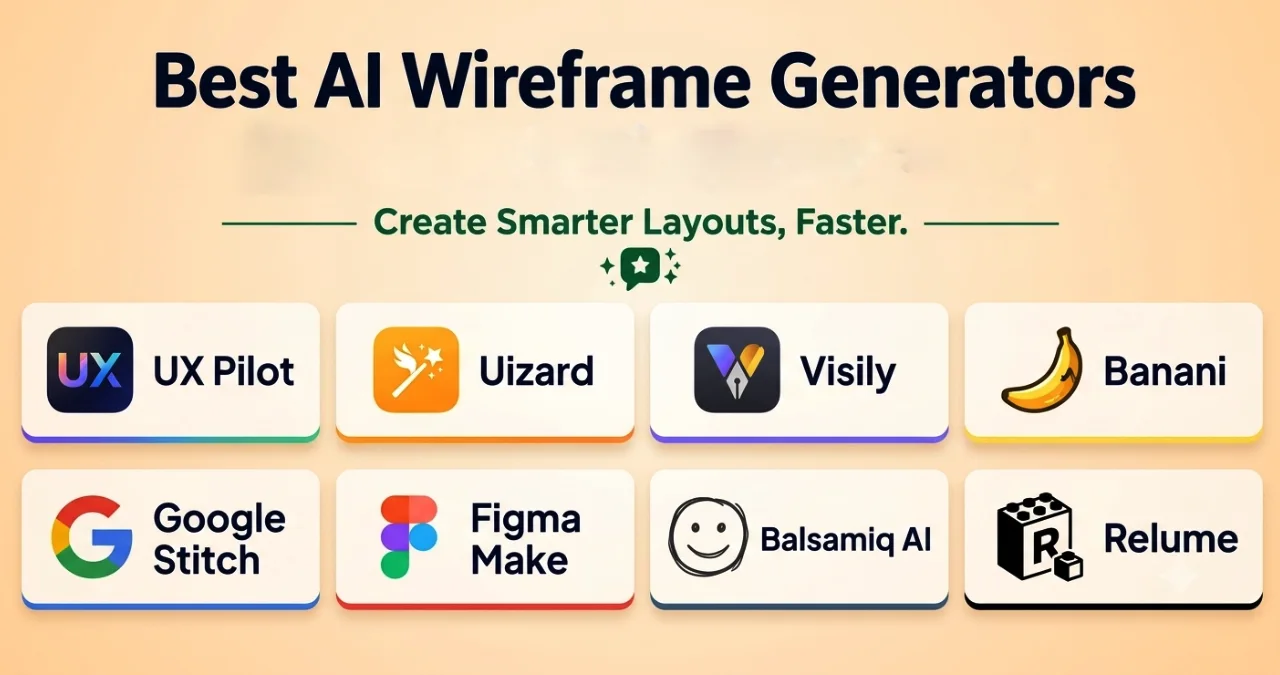
In this Ainewsjournal guide, we compare eight relevant AI wireframing tools: UX Pilot, Uizard, Visily, Banani, Google Stitch, Figma Make, Balsamiq AI, and Relume. We will explore their features, advantages, limitations, and ideal use cases to help you choose the right tool.
Table of Contents
Quick Comparison: Best AI Wireframe Generators in 2026
| AI Tool | Best For | Main Capability |
|---|---|---|
| UX Pilot | Complete UX wireframing | Text-to-wireframe and user-flow generation |
| Uizard | Beginners and non-designers | Sketch and screenshot conversion |
| Visily | Quick UI/UX wireframes | Text-to-design and screenshot-to-wireframe |
| Banani | Multi-screen app design | AI-generated editable wireframes |
| Google Stitch | AI-powered UI exploration | Prompt-to-interface generation |
| Figma Make | Interactive design prototypes | Prompt-to-interactive applications |
| Balsamiq AI | Low-fidelity wireframing | Prompt and image-to-wireframe |
| Relume | Website planning | AI sitemap and website wireframe generation |
The tools are selected for their direct or closely related wireframing capabilities. Their outputs and workflows are not identical.
What Is an AI Wireframe Generator?
An AI wireframe generator is a software application that uses artificial intelligence to create website or mobile application layouts from instructions, images, sketches, or other design references.
A wireframe is a visual blueprint of a digital product. It shows the placement of elements such as navigation menus, buttons, images, forms, headings, and content sections.
For example, imagine you want to create an online shopping application. Instead of manually designing the homepage, product listing, shopping cart, and checkout screens, you can describe the application to an AI wireframing tool.
The tool can generate an initial layout that you can edit and improve.
Depending on the platform, an AI wireframe generator may offer:
- Text-to-wireframe: Creates interface layouts from written instructions.
- Screenshot-to-wireframe: Converts existing website or app screenshots into editable designs.
- Sketch-to-wireframe: Transforms hand-drawn layouts into digital interfaces.
- AI editing: Modifies existing layouts through conversational instructions.
- User-flow generation: Creates multiple connected screens for a product.
- Prototype generation: Turns static layouts into interactive demonstrations.
- Design export: Transfers designs into tools such as Figma or development formats.
These features help product teams explore ideas before investing time in detailed design and development.
How to Choose the Best AI Wireframe Generator
Choosing an AI wireframing tool requires more than checking whether it can generate a screen from a text prompt. You should also consider how easily you can edit the design and use it in your actual project.
Here are the most important factors.
1. Text-to-Wireframe Generation
Check whether the tool can understand natural-language instructions and convert them into structured layouts.
A useful tool should understand the purpose of the interface, its major sections, and the elements required on each screen.
2. Screenshot and Sketch Conversion
If you already have a website reference or a hand-drawn design, choose a platform that can convert images into editable wireframes.
This can save time when recreating an existing interface or developing a design from an early concept.
3. Multi-Screen User Flows
A complete application contains several connected screens. Look for tools that can generate onboarding, registration, dashboard, checkout, and other related screens while maintaining a consistent structure.
4. Editing and Customization
AI-generated layouts are not always perfect. You should be able to modify components, spacing, navigation, text, and other interface elements without rebuilding the entire design.
5. Prototype and Export Options
Consider whether you can turn wireframes into clickable prototypes or export them to Figma, HTML, CSS, or other development formats.
The right export options depend on your team’s workflow.
6. Pricing and Usage Limits
Compare free plans, paid subscriptions, AI credits, project limits, and export restrictions before choosing a tool.
A free plan may be sufficient for learning and simple projects, while larger product teams may need paid features.
Top 8 AI Wireframe Generators in 2026
1. UX Pilot – Best for Complete UX Wireframing
UX Pilot is an AI-powered UX/UI design platform that helps users convert product ideas, sketches, and product requirement documents into structured interface designs.
It is particularly useful when you need more than a single screen. Its AI-powered workflow can generate multiple connected screens, create user journeys, and refine layouts through conversational instructions.
For example, you can describe a banking application and generate screens for login, account overview, transactions, and settings.
Best for: UX designers, product managers, startups, and development teams that need complete interface flows.
Key Features of UX Pilot
- Generates editable wireframes from text descriptions.
- Accepts sketches, PDFs, and screenshots as references.
- Creates low-, medium-, and high-fidelity wireframes.
- Generates multiple connected screens through its Autoflow feature.
- Supports conversational design editing.
- Converts wireframes into more polished interface designs.
- Supports Figma integration and code export.
- Offers AI-generated user-flow diagrams.
Pros and Cons
| Pros | Cons |
|---|---|
| Supports complete user journeys | Advanced features may require paid credits |
| Generates editable wireframes | Requires review and refinement |
| Accepts different design references | Beginners may need time to understand the workflow |
| Supports Figma and code handoff | Generated designs may need customization |
UX Pilot Pricing
UX Pilot offers free starting access and paid subscription options. The available features, credits, and export allowances depend on the selected plan.
Check the current pricing before subscribing.
Official website: https://uxpilot.ai/
2. Uizard – Best for Beginners and Non-Designers
Uizard is an AI-powered UI/UX design platform that helps users turn product ideas into digital interface designs.
It is especially useful for people who do not have professional design experience. You can describe your idea, upload a screenshot, or provide a hand-drawn sketch to create an initial design.
Uizard also supports multi-screen projects, making it useful for developing early application concepts.
Best for: Beginners, startup founders, product managers, and developers who need quick UI wireframes.
Key Features of Uizard
- Converts text prompts into interface designs.
- Transforms hand-drawn sketches into digital layouts.
- Converts screenshots into editable designs.
- Supports AI-assisted editing.
- Generates multi-screen application concepts.
- Offers reusable design templates.
- Supports interactive prototyping.
- Provides design collaboration features.
Pros and Cons
| Pros | Cons |
|---|---|
| Easy for beginners | Limited advanced customization |
| Converts sketches and screenshots | AI-generated designs need refinement |
| Supports quick mockup creation | Free usage has restrictions |
| Provides interactive prototypes | Advanced features may require a subscription |
Uizard Pricing
Uizard offers a free plan and paid subscription options. AI generation limits, project allowances, and export features depend on the plan.
Official website: https://uizard.io/
3. Visily – Best for Quick UI/UX Wireframes
Visily is an AI-powered wireframing and UI design platform created for people who want to develop digital product interfaces without spending too much time on manual design.
It allows users to create designs from text prompts, screenshots, and hand-drawn sketches.
One of its useful capabilities is screenshot conversion. You can provide an existing interface as a reference and transform it into an editable design.
Visily is particularly helpful for teams that want to move from early wireframes to more detailed mockups.
Best for: Product managers, startup founders, beginners, and teams that need quick interface concepts.
Key Features of Visily
- Generates wireframes from text descriptions.
- Converts screenshots into editable designs.
- Transforms hand-drawn sketches into digital layouts.
- Supports AI-assisted UI creation.
- Provides reusable design templates.
- Supports interactive prototyping.
- Offers collaboration features.
- Supports Figma-related design workflows.
Pros and Cons
| Pros | Cons |
|---|---|
| Easy-to-use interface | Advanced customization can be limited |
| Multiple input options | Generated designs need manual review |
| Useful for rapid prototyping | Free plan has restrictions |
| Suitable for non-designers | Not a complete development environment |
Visily Pricing
Visily provides free and paid plans. Pricing and feature availability depend on the selected subscription.
Official website: https://www.visily.ai/
4. Banani – Best for Multi-Screen Application Wireframes
Banani is an AI-powered UI/UX design platform that can generate editable wireframes from text prompts, screenshots, and sketches.
Its main strength is helping users visualize multiple application screens without manually creating every layout.
You can describe an application, generate different interface variations, and refine the results through AI-assisted editing.
Banani also supports different design fidelities, allowing you to explore simple wireframes before moving toward more detailed interfaces.
Best for: Product managers, startup founders, developers, and designers who need quick multi-screen designs.
Key Features of Banani
- Generates wireframes from text prompts.
- Converts screenshots and sketches into editable layouts.
- Supports multi-screen user-flow generation.
- Offers conversational AI editing.
- Creates different layout variations.
- Supports low-, medium-, and high-fidelity designs.
- Exports designs to Figma and other supported formats.
- Supports HTML/CSS export and MCP workflows.
Pros and Cons
| Pros | Cons |
|---|---|
| Quick prompt-to-wireframe generation | AI usage depends on available credits |
| Supports multiple screens | Generated layouts need refinement |
| Offers different design fidelities | Some export features require paid access |
| Supports Figma workflows | Not a replacement for complete development |
Banani Pricing
Banani provides free access and paid plans. The number of available generations and export features can vary by subscription.
Official website: https://www.banani.co/
5. Google Stitch – Best for AI-Powered UI Exploration
Google Stitch is an AI-native interface design platform developed by Google Labs.
It helps users transform natural-language descriptions and visual references into interface designs. Instead of manually arranging every element, you can explain what you want and allow the AI to generate an initial layout.
Stitch also supports interactive design exploration, making it useful for people who want to test different interface ideas before choosing a final direction.
Its AI design capabilities make it particularly interesting for developers and product teams.
Best for: Developers, product designers, startup founders, and people exploring interface concepts with AI.
Key Features of Google Stitch
- Generates user interfaces from text prompts.
- Supports visual references and images.
- Offers voice-based design interaction.
- Helps refine existing interface concepts.
- Supports interactive prototypes.
- Provides design and development workflows.
- Offers code and design export options.
- Supports design-system-related workflows.
Pros and Cons
| Pros | Cons |
|---|---|
| Fast interface generation | Requires human design review |
| Natural-language interaction | Complex application logic needs development |
| Supports interactive exploration | Generated interfaces may need customization |
| Useful for developers and designers | Product capabilities can change as Google Labs evolves |
Google Stitch Pricing
Check the official Google Stitch platform for current access conditions, usage limits, and availability.
Official website: https://stitch.withgoogle.com/
6. Figma Make – Best for Interactive AI Design Prototypes
Figma is a popular collaborative design platform, and Figma Make extends its design workflow with AI-assisted application and prototype creation.
You can describe an interface in natural language and use AI to generate an interactive experience. You can then refine the result through prompts, visual editing, and code adjustments.
Figma Make is particularly useful when you want to move beyond static wireframes and explore how an interface might behave.
It is important to distinguish Figma Make from traditional low-fidelity wireframing. It is more focused on interactive prototypes and AI-generated applications.
Best for: Professional designers, product teams, developers, and existing Figma users.
Key Features of Figma Make
- Generates interactive interfaces from text prompts.
- Supports prompt-based design iteration.
- Allows users to modify generated experiences.
- Provides a visual editing environment.
- Supports code-level customization.
- Works with existing Figma design files.
- Supports sharing and publishing prototypes.
- Helps explore different product concepts.
Pros and Cons
| Pros | Cons |
|---|---|
| Integrates with the Figma ecosystem | Not focused exclusively on low-fidelity wireframes |
| Supports interactive prototypes | Advanced capabilities require learning |
| Allows prompt-based editing | AI output needs human refinement |
| Useful for product collaboration | Some features depend on subscription access |
Figma Make Pricing
Figma offers a free Starter plan, with additional features available through paid subscriptions. Figma Make access and usage depend on the applicable plan and AI allowances.
Official website: https://www.figma.com/solutions/ai-wireframe-generator/
7. Balsamiq AI – Best for Low-Fidelity Wireframing
Balsamiq is a wireframing platform that focuses on the structure and functionality of digital interfaces rather than detailed visual design.
Its AI features help users generate editable wireframes from text descriptions, screenshots, sketches, and even front-end code.
This makes it useful during the early planning stages of website and application development.
Instead of spending time on colors, typography, and visual effects, you can focus on the placement of important interface elements.
Best for: UX designers, product managers, software teams, and beginners who want to plan layouts before detailed design.
Key Features of Balsamiq AI
- Generates editable wireframes from text prompts.
- Converts screenshots into wireframe components.
- Transforms hand-drawn sketches into digital layouts.
- Generates multi-screen user flows.
- Supports conversational wireframe editing.
- Converts front-end code into rough wireframes.
- Provides reusable UI components.
- Supports sharing and collecting team feedback.
Pros and Cons
| Pros | Cons |
|---|---|
| Simple low-fidelity design workflow | Not suitable for advanced visual design |
| AI-assisted wireframe creation | AI actions use available credits |
| Supports screenshot and sketch conversion | Paid access is required after the trial |
| Useful for early product planning | Limited high-fidelity design capabilities |
Balsamiq AI Pricing
Balsamiq offers a 14-day free trial. Paid subscription costs depend on the selected plan and billing arrangement.
Official website: https://balsamiq.com/product/ai/
8. Relume – Best for Website Sitemaps and Wireframes
Relume is an AI-powered website planning and design platform that helps users turn website descriptions into structured sitemaps and wireframes.
Unlike general-purpose mobile application wireframing tools, Relume focuses mainly on website structure and section-based layouts.
For example, if you want to create a website for a digital marketing agency, you can describe the business and generate a proposed sitemap containing pages such as Home, About, Services, Portfolio, and Contact.
You can then generate wireframes for those pages using Relume’s component library.
Best for: Web designers, Webflow developers, freelancers, and agencies that build marketing websites.
Key Features of Relume
- Generates website sitemaps from text descriptions.
- Creates website wireframes from sitemap structures.
- Generates suggested page sections.
- Provides a reusable component library.
- Allows users to edit generated layouts.
- Supports Figma export.
- Integrates with Webflow workflows.
- Supports React-related export workflows.
Pros and Cons
| Pros | Cons |
|---|---|
| Speeds up website planning | Primarily focused on websites |
| Connects sitemaps and wireframes | Not designed for general mobile app flows |
| Provides reusable components | Generated content needs editing |
| Supports Figma and Webflow workflows | Some advanced features require paid access |
Relume Pricing
Relume offers free access and paid subscription plans. Pricing depends on the selected plan and available project features.
Official website: https://www.relume.ai/
Comparison: Which AI Wireframe Generator Should You Choose?
The right tool depends on the type of interface you want to create and the workflow you follow.
| Your requirement | Recommended tool | Main reason |
|---|---|---|
| Complete UX wireframes and user flows | UX Pilot | Generates structured screens and connected journeys |
| Beginner-friendly design | Uizard | Converts prompts, screenshots, and sketches |
| Quick UI wireframes | Visily | Simple AI-assisted interface generation |
| Multi-screen app wireframes | Banani | Supports multi-screen generation and editing |
| AI-powered interface exploration | Google Stitch | Natural-language and interactive design workflows |
| Interactive AI prototypes | Figma Make | Connects AI generation with interactive experiences |
| Simple low-fidelity layouts | Balsamiq AI | Focuses on structure and editable wireframes |
| Website sitemaps and page layouts | Relume | Connects website architecture with wireframes |
Best Practices for Creating Wireframes with AI
AI can make wireframing faster, but the quality of the final design still depends on your instructions and review process.
Follow these practices to get better results.
1. Write Specific Design Prompts
Avoid vague instructions such as “Create a website for my business.”
Instead, explain what the website does, who will use it, and which sections you need.
For example:
“Create a responsive homepage for an online clothing store. Include a navigation bar, product categories, featured products, customer reviews, promotional banners, and a footer.”
Specific instructions help the AI understand the intended structure.
2. Start with the User Journey
Before generating screens, decide what users should do on your website or application.
For an e-commerce application, the journey might look like this:
Homepage → Product Listing → Product Details → Shopping Cart → Checkout → Order Confirmation.
This makes it easier to generate connected wireframes.
3. Use Screenshots and Sketches
If you have an existing design reference, provide it as an input where supported.
This can help the AI understand your preferred layout and reduce the amount of manual editing required.
4. Review the Generated Layouts
Do not assume that the first generated wireframe is correct.
Check whether the navigation is logical, the content is organized properly, and the important actions are easy to identify.
5. Test Interactive Prototypes
If your selected platform supports prototyping, test the navigation and interactions before moving to development.
A visually attractive design is not necessarily easy to use.
6. Prepare for Development Handoff
Before sending the design to developers, check component consistency, responsive layouts, spacing, and export compatibility.
Remember that AI-generated code and interface designs may need technical review before production use.
Final Thoughts: Which Is the Best AI Wireframe Generator in 2026?
The best AI wireframe generator depends on your project requirements, design experience, and preferred workflow.
UX Pilot is a strong choice for generating structured UX wireframes and complete user journeys. Uizard and Visily are useful for beginners who want to turn ideas, screenshots, and sketches into editable designs.
Banani is worth considering for multi-screen application wireframes, while Google Stitch offers an AI-native way to explore interface concepts. Figma Make is more suitable for interactive prototypes, and Balsamiq AI remains a practical option for low-fidelity wireframing.
If your main goal is website planning, Relume offers a more specialized workflow that connects sitemaps with website wireframes.
You do not need to use every tool. Start with the one that matches your project, test its free access or trial, and check whether its export options fit your development process.
AI can reduce the time required to create initial layouts, but human review remains essential for building usable and effective digital products.
Frequently Asked Questions
Can AI generate wireframes from text prompts?
Yes. AI wireframing platforms such as UX Pilot, Banani, Google Stitch, Visily, and Balsamiq AI can generate interface layouts from natural-language descriptions. You can edit the generated results to match your requirements.
Are there free AI wireframe generators?
Yes. Several platforms provide free access, free plans, or limited trials. The available AI generations, project limits, export options, and collaboration features vary by provider.
Check the official pricing pages before selecting a platform.
Can AI convert a screenshot into a wireframe?
Yes. Some AI wireframing tools can analyze website or mobile application screenshots and convert them into editable layouts. Uizard, Visily, Banani, UX Pilot, and Balsamiq AI support image-based design workflows.
What is the difference between a wireframe and a prototype?
A wireframe shows the basic structure of a digital interface, including content placement, navigation, and important components.
A prototype demonstrates how the interface works. It may include clickable buttons, interactive menus, navigation, and other user interactions.
A wireframe focuses on structure, while a prototype helps test the user experience.
Can AI wireframe generators replace UI/UX designers?
No. AI wireframe generators can automate parts of the design process, but they cannot fully replace professional UI/UX designers.
Designers still need to understand user requirements, organize information, evaluate usability, maintain consistency, and improve the final interface.
Which AI wireframe generator is best for website design?
Relume is particularly useful for website planning because it generates sitemaps and section-based wireframes. UX Pilot, Visily, and Uizard are also suitable for creating website interface layouts.
Can I export AI-generated wireframes to Figma?
Yes. Several tools support Figma export or integration, including UX Pilot, Banani, Visily, Uizard, and Relume. Figma Make works directly within the Figma ecosystem.