
Using AI productivity tools has become a trend rather than a necessity nowadays. AI productivity tools are software applications that use artificial intelligence to help people perform their tasks more faster, efficient without any manual effort. Whether writing an application or preparing a school project, we can see the importance of AI tools everywhere. AI-based productivity tools not only help us by answering or suggesting but also save time, increase work productivity, and improve our skills as well.
But for using these tools, knowledge is the priority, and it can also be a certain investment. Most of the tools are used by students who are searching for a free Edition for general support. In today’s write-up, we are here to present you with some types of AI productivity tools that are available and can be useful for beginner users.
Table of Contents
What are AI productivity Tools?
AI productivity tools refer to software applications that perform work with the help of artificial intelligence to work faster, save time, and improve efficiency to work. and organize information.
These tools shows its efficiency and ability through writing, editing content, making videos, projects, managing schedules and meetings, analyzing data, helping to generate ideas, creating presentations, and managing other workflows. Some useful and beginner AI productivity tools include;
Top Pocket-Friendly AI Productivity Tools Of 2026
AI Productivity tools have become an essential part of day-to-day lives. From writing an application to making a presentation, everywhere we are seeking this faster facility and guidance. Choosing these tools makes our lives much better and more efficient, but a common query is always whether these tools are free or paid.
In the 2026 comparisons recently, it looks like a bunch of useful tools start in that 5$–12$ per month range and, at the same time, plenty of them also throw in free plans.
Here we have found some budget-friendly and favourable AI productivity tools.
1. Hemingway Editor: The Proofreading Expert
Hemingway Editor is an AI-assisted writing and editing tool, made mainly so your writing comes out clearer, simpler, shorter, and easier to read. It’s a type of tool different from other tools that put most of their attention on spelling or grammar, because this one leans hard on readability and writing style. It usually points out long sentences, the passive voice, and adverbs, plus tangled phrasing or complicated wording, and other small bits that can make a page feel harder to understand. Before you decide to hire this AI productivity tool for your use, you should know about its features, pros and cons, and benefits.
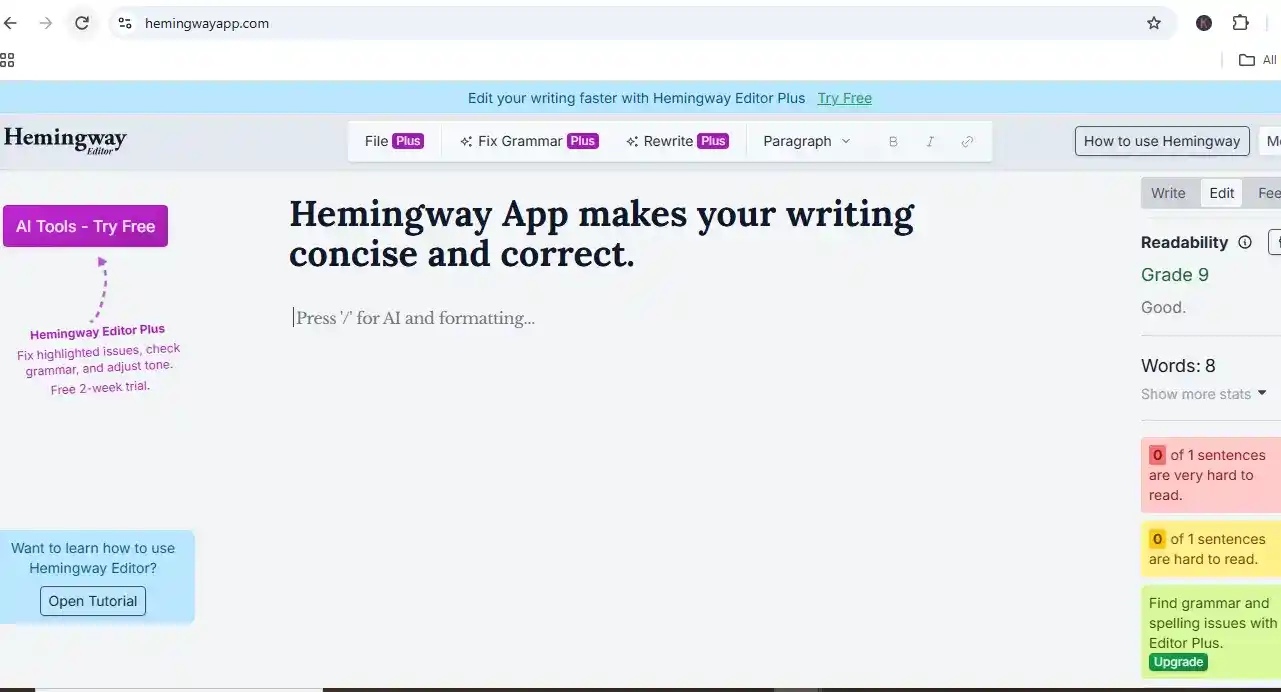
Hemingway Editor Features
Hemingway Editor provides a high readability option and gives suggestions to choose the correct adverb. Also changes passive voice and prepares results that are understandable and high in volume at the same time.
Note: This tool can not be operated through a mobile phone. It is only available for Desktop and PC.
Hemingway Editor Uses
This tool can be used for seo editing, blog writing, academic writing, proofreading, and professional email writing. It gives a seven-day free trial option to use.
Benefits And Drawbacks Of Using Hemingway Editor
| Pros | Cons |
| Excellent focus on readability | Can sometimes encourage oversimplification |
| Easy color-coded interface | Not every highlighted issue needs correction |
| Helps reduce wordiness | Advanced AI features require a paid plan |
| Useful for bloggers and content writers | AI sentence usage is limited by monthly credits |
| Detects passive voice and adverbs | Less focused on advanced SEO optimization |
| Provides readability scoring | Grammar is not its primary historical focus |
| AI can rewrite and simplify content | Some suggestions still require human judgment |
| Desktop version supports offline writing | Desktop app and AI subscription are separate |
Hemingway Editor pricing in 2026
| Plan / Version | Pricing |
| Free Web Version | $0 |
| Editor Plus (Monthly) | $12.50/ month |
| Editor Plus (Annual) | $8.33 / month ($100 billed yearly) |
2. Lex. page:
Why does Lex. page refer to a writer king? Do you know? Let us tell you that this AI productivity tool is an AI-powered word processor that is designed to write within Google Docs along with artificial intelligence.
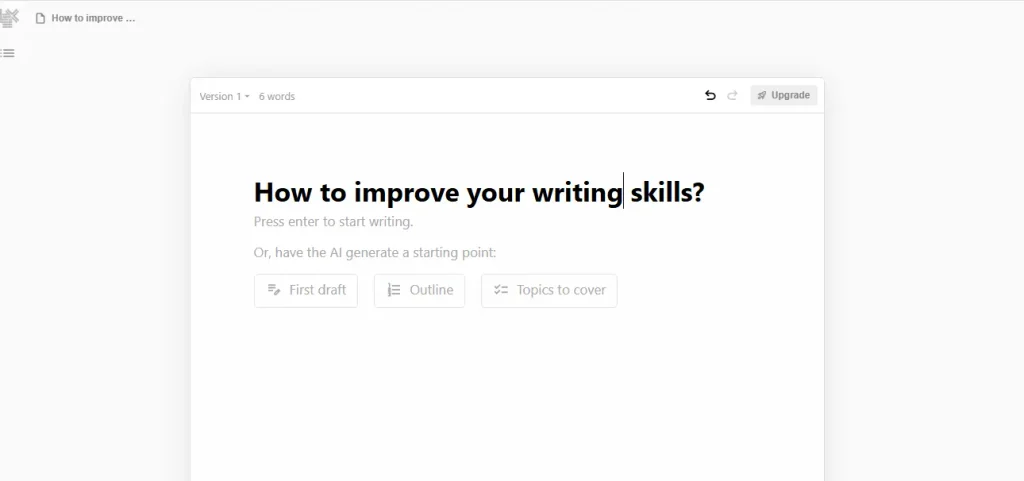
Lex. Page Features
Lex. Page adds relevant information to the content, provides a simple prompt overview option, and a chatting option to discuss the writing.
Note: You can utilize this tool on both desktop and laptop both..
Lex. Page Usages
Mostly, this tool can be used for writing blogs, academic writing, research work, business writing, and creative writing. It improves writing methods, grammar, identifies errors, and generates captions for social media posts like LinkedIn and Instagram posts.
Benefits and Drawbacks of Using Lex. page
| Pros | Cons |
| AI writing and editing assistance | Free AI usage is limited |
| Clean and distraction-free interface | Advanced features require a paid plan |
| Helps improve grammar, tone, and readability | AI-generated content needs human review |
| Custom Style Guides and Knowledge Bases | Primarily focused on writing |
| Real-time collaboration | May not replace a complete productivity suite |
| Version history helps recover earlier drafts | Privacy should be considered for sensitive content |
| Useful prompt library for different writing needs | May be unnecessary for users needing only basic proofreading |
| Supports multiple AI models in Pro | Adds another subscription cost |
Lex. page pricing in 2026
3. Claude: The AI assistant
Claude is an AI assistant developed by Anthropic and is powered by a family of large language models. Like other AI assistants, it can help with tasks such as answering questions, generating content, summarizing information, and assisting with various types of work. What distinguishes Claude is its particular approach to AI assistance, including its focus on useful, conversational, and context-aware responses.
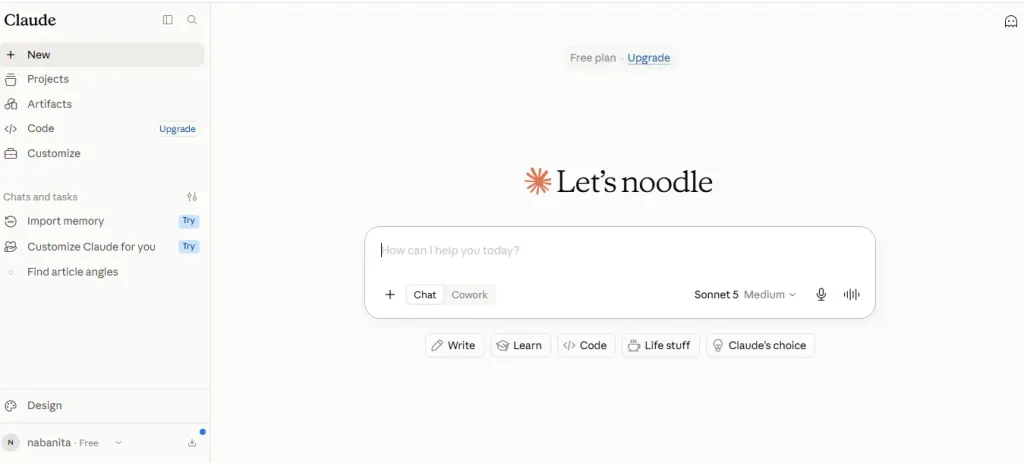
Claude Features
This tool works on the given prompt, as it provides article angle writing and a punchy hook line for each topic. Also, analysis, document research, web research, data analysis, and coding. It is very similar to the popular AI productivity tool ChatGPT.
Claude Uses
- Content Writing
- Research and Summarization
- Coding and Programming
- Document Analysis
- Email and Communication
- Translation and Editing
Core Advantages And Disadvantages
| Pros | Cons |
| Strong writing ability | Can make mistakes: |
| Useful for research | Limited free usage: |
| Excellent for coding | Requires human verification: |
| Long-context capabilities | Some advanced features require paid plans |
| Good at document analysis | Internet access can vary by feature |
| Versatile productivity tool | May refuse some requests |
| Easy to communicate with | Output quality depends on prompts |
| Useful for businesses | Not a complete replacement for experts |
| Supports creative work: | Performance can vary |
Claude pricing in 2026
| Claude Plan | Monthly Pricing | Yearly Pricing |
| Free | $0/month | $0/year |
| Pro | $17/month | $200/year |
| Max 5x | $100/month | $1,200/year |
4. ChatGPT: A Brainstormer
The most usable and helpful AI productivity tool that ranks on a large scale over the internet. From preparing content to preparing code, ChatGPT has become a commonly used AI productivity tool. It is used to generate human-like responses and holds natural language processing capabilities.

ChatGPT Features
ChatGPT has multimodal capabilities like conducting deep research, analyzing data, and generating files. Moreover, it debugs code, identifies bugs, and improves readability and collaboration. You can use the tool on desktop and mobile devices. It works on both.
ChatGPT Usages
Summarize medical documents, brainstorm ideas, and create an outline to save time for other work. It is best used for content generation and scheduling tasks.
Advantages And Disadvantages
| Pros | Cons |
| Quickly provide results from sources | It reduces the ability of practical and critical thinking efficiency |
| It provides up-to-date information from credible sources | The information is based on human-generated text from the web, which creates an authenticity issue |
| Highly intuitive natural language interface; accessible 24/7 across multiple languages. | Advanced features, higher messaging limits, and custom integrations require a paid subscription. |
| Handles multimodal inputs (text, audio, image creation, file uploads) seamlessly. | Struggles with deep logic, higher-level spatial reasoning, or highly specific niche edge cases. |
| Features options to exclude chat history from future AI training sessions. | Raises data privacy concerns when uploading sensitive corporate or personal information. |
ChatGPT Pricing
| Plan Tier | Monthly Billing | Billed Annually |
| Free | ₹ 0 | ₹0 |
| Go | $8 month | $50.03/ year (No annual discount) |
| Plus | $20/ month | $250.66 / year (Billed monthly only) |
| Pro | $100 | $20.89/year (Billed monthly only) |
5. Grammarly: free AI assistance
Grammarly is one of the AI assistance tools that is incredibly helpful to make your write-up error-free and genuine. It helps to identify grammatical errors, punctuation errors, and wording mistakes in real time.
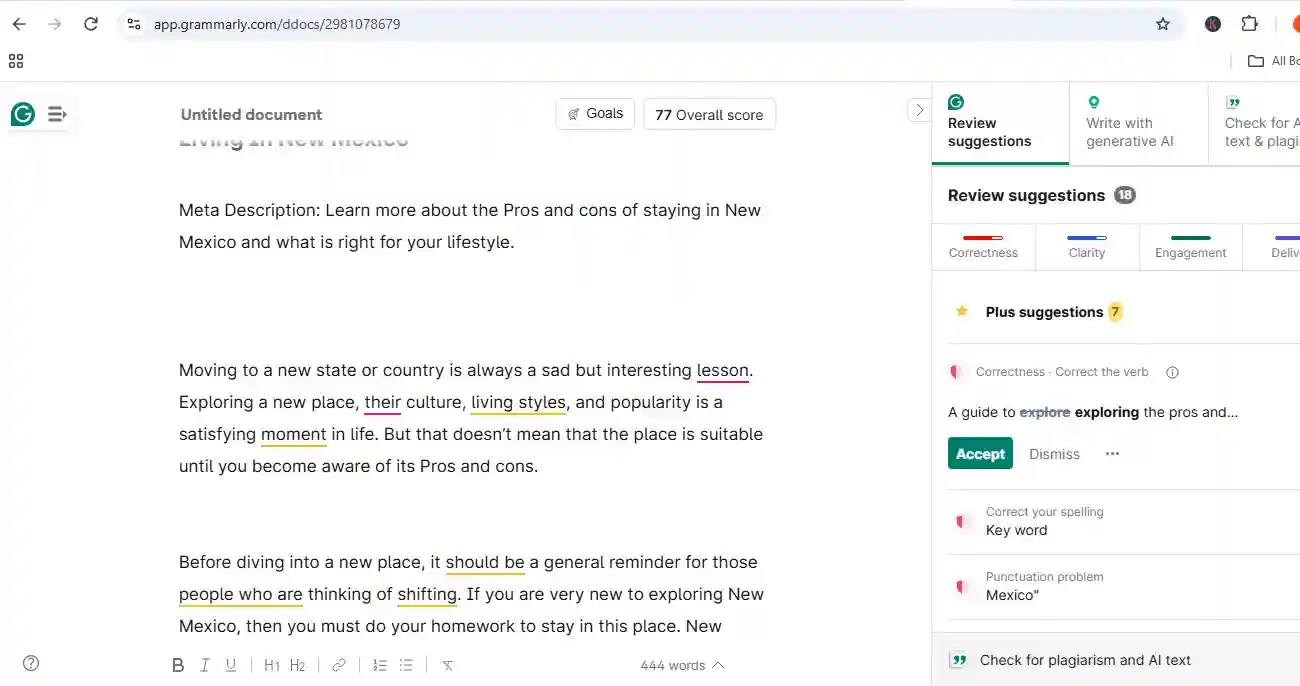
Grammarly Key Features
This AI assistant could be the best friend for writers as it helps to identify and correct typo mistakes, subject-verb agreement errors, and other punctuation issues. Moreover, this tool helps to rewrite your write-up in a better and more professional way without any errors. Another great thing is that Grammarly helps to predict plagiarism so that your writing can be unique and popular. This assistance is available for both phone and desktop.
Grammarly Usages
Detecting grammatical errors, punctuation issues, assemble sentences within sentence rules. Some other tasks performed by Grammarly are drafting professional emails, polishing social media posts, and ensuring error-free communication.
Pros And Cons Of Grammarly
| Pros | Cons |
| Identifies plagiarism issues | Their free version is quite limited |
| Favourable pricing | Not available for every platform |
| A user-friendly platform | Paid versions are expensive |
| Helpful for grammar checking | No offline edition is available |
Grammarly Pricing For 2026
Are the AI productivity tools worth it?
Yeah, AI productivity tools can be worth it for a bunch of folks, mostly when you use them for the repetitive, time-consuming stuff rather than to replace what humans decide in the first place. Like, they help with the work and let the judgment part stay with people.
| Benefit | How AI helps |
| Saves time | Automates drafting, summarizing, research, and routine tasks |
| Improves efficiency | Helps complete repetitive work faster |
| Writing support | Creates, edits, and improves emails, articles, and documents |
| Research | Quickly organizes information and generates starting points |
| Brainstorming | Provides ideas, outlines and alternative approaches |
| Task automation | Can handle recurring workflows and simple processes |
| Learning | Explains difficult topics and provides personalized assistance |
| Cost savings | Can reduce the time spent on certain manual tasks |
Final Thought
AI productivity tools are turning into useful assistance for work, study, business, and everyday. They can save time, take on the same repetitive chores, help sharpen writing, bring up fresh brainstorms, dig out new angles, and generally help people move in a smoother rhythm. But they should be treated more like assistants, not like full replacements for human creativity, good judgment, and the whole way decisions are made. The real win, or maybe the point, is choosing the right thing for the right need, then using it responsibly, not in some careless mode. When folks use them in a calm, wise way, tasks get done faster, smarter, with less friction. Then there’s more time for the meaningful stuff and those more imaginative activities that actually matter.
FAQs
Can businesses benefit from AI productivity tools?
Yes. Businesses can use AI to automate repetitive processes, improve communication, analyze information, support customers, and help employees complete everyday tasks more efficiently.
What is the most useful AI tool for work productivity?
ChatGPT is the most useful AI productivity tool among others.
Can AI productivity tools save money?
They can potentially reduce costs by decreasing the amount of time spent on repetitive tasks and improving workflow efficiency. However, the actual savings depend on how effectively the tools are implemented.
Which is the best AI for productivity?
For 2026, there is no single AI that is best for every type of work.
Are AI productivity tools worth using?
Yes, they can be worthwhile when they solve a specific problem or save significant time. However, their value depends on the user’s needs, frequency of use, and the quality of the particular tool.
Are AI productivity tools free?
Some are free; some offer a minimum price, and some are highly expensive. Claude Max and ChatGPT Pro are highly expensive.
What are the disadvantages of AI productivity tools?
Potential drawbacks include inaccurate information, privacy concerns, subscription costs, overdependence on AI, and the need to review AI-generated content before using it.
What is the future of AI productivity tools?
AI productivity tools are likely to become more integrated into everyday software and workflows. Future tools may provide greater automation, personalized assistance, smarter task management, and better collaboration between humans and AI.