
A few years ago, AI photo editing for real estate meant a one-click sky swap and a lot of crossed fingers. However, in 2026, the scenario is very different. You upload a shoot at night and wake up to a consistent, MLS-ready gallery with windows pulled, twilights created, and a lawn that looks real, green, and fresh. This category of real estate photo editing has improved, along with new upgrade angles.
In this Ainewsjournal guide, we compare the 10 best AI tools for real estate photo editing in 2026 by their features, pricing, and ease of use. They are now being widely used by different agents, photographers, and media teams. We will discuss everything about them, starting with their best features, level of ease of use, as well as the features. This will help you make well-informed decisions regarding which one to invest in. If you want a wider look beyond property work, something for general-purpose editing, see our guide to the best AI photo editing tools of 2026.
The quick take
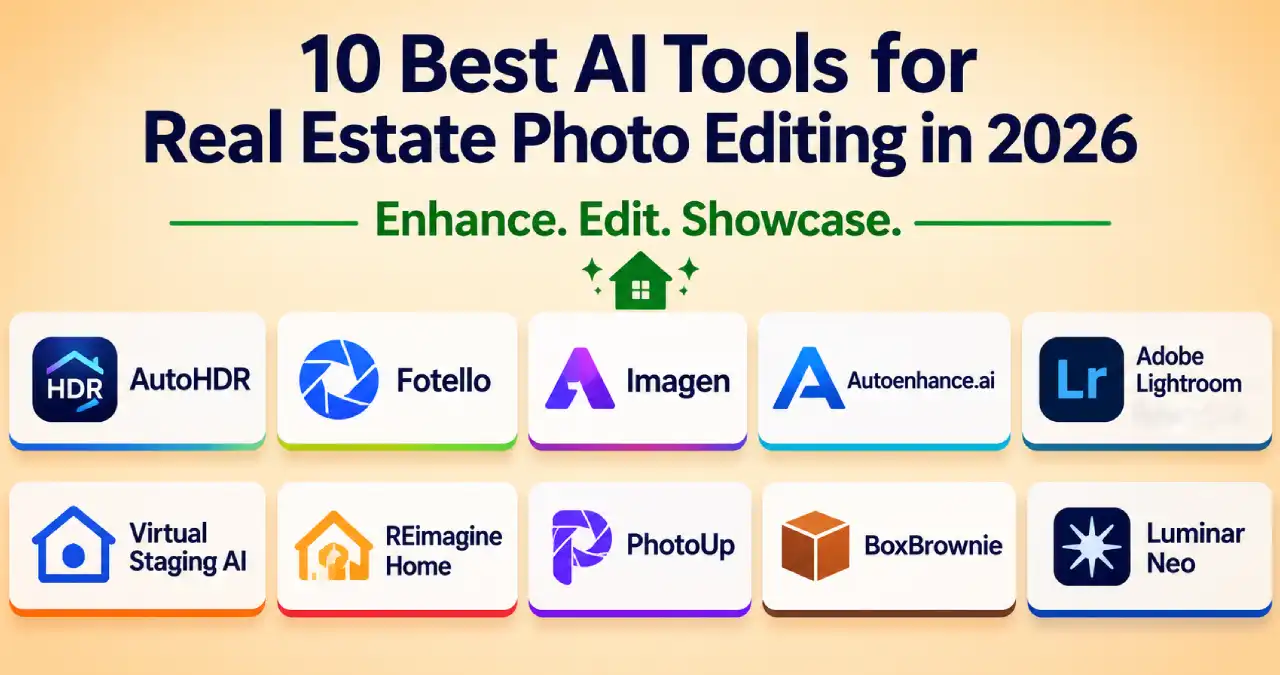
- Best for high-volume HDR editing: AutoHDR
- Best all-in-one business platform (edit + book + deliver): Fotello
- Best for matching your personal editing style at scale: Imagen
- Best for API and automation workflows: Autoenhance.ai
- Best for hands-on control: Adobe Lightroom + Photoshop
- Best for virtual staging: Virtual Staging AI and REimagineHome
- Best AI-plus-human safety net: PhotoUp and BoxBrownie
- Best one-time purchase: Luminar Neo
What are the current changes in 2026?
With real estate-based AI modules working behind the platform, perspective correction features have been significantly enhanced. Tools trained on property photographs can effortlessly handle window pulls, HDR bracket merging, and grass and sky fixes.
AI does the bulk editing, and a person checks the final result. Most teams now use a hybrid workflow: Here, AI does the volume, but you must keep a good eye on ensuring the finishing as well. Thus, most platforms nowadays offer revision tools or a human eye for review for this very reason.
You can see per-photo billing or per-listing billing and equivalent subscriptions or one-time licenses. Much of this shift is powered by generative AI tools built into digital media apps, which is why object removal, generative fill, and virtual staging now sit inside everyday editors.
AutoHDR — the volume workhorse
What it is: It is a popular web-based AI editor built specifically for real estate HDR brackets, with a reported focus on speed and automation. Its homepage claims it edits about 10% of US listings.
What features to obtain?
- HDR merging with selectable looks, whether you opt for a ‘natural’ or ‘intense’ style.
- Virtual twilight conversion with sky replacement by choice and greening options.
- Automatic TV screen blackout and fire in the fireplace.
- Prompt-based “AI re-edit”, such as when you ask to put a pool cover, plus opt for recolouring by matching the exact colour code.
- Unwanted object removal from the uploaded image, lot-line drawing, license-plate blur, along with generative fill and edits.
- Delivery integrations with Spiro, HDPhotoHub, Tonomo, Aryeo, and Dropbox.
Pricing: There’s a free tier of 10 photos a month. The standard one starts at $265/month for 500 photos (about $0.53 per photo, or roughly $225/month billed yearly). For enterprise use, it starts at $2,250/month for 5,000 photos (about $0.45 per photo). You pay for what you download, and unused credits roll over.
Ease of use: Beginner-friendly. Just need to drag, drop, and finally download.
Latest updates: The site is already promoting a redesigned interface (example, “this UI will sunset soon”), and the feature list keeps shifting from pure HDR toward post-processing and add-ons such as staging, twilight, and prompt-driven re-edits.
What to look for: The per-photo price is mid-range; hence, too much add-on use can raise your overall bill.
Fotello — the all-in-one business platform
Fotello goes beyond photo editing. It combines AI editing, virtual staging, and twilight with booking, scheduling, branded delivery, invoicing, payments, and so on for property websites. It also keeps human editors on hand for revisions. If you are mapping out how these steps fit together in a media business, our guide to AI tools for business workflow analysis and process mapping can help.
Best features
- AI editing for HDR, single-exposure and flambient shoots, with window pulls, sky and grass fixes, lens and perspective correction; all-in-one.
- “Foton” style profiles, whether you need natural or signature-styled.
- There are no specific usage limitations; you can correct your images as much as you want until you are satisfied.
- Free booking available with later delivery and payment, white-label options, and API access.
- AI video shoots, staging, and twilight add-ons. For more on property video, see our roundup of AI avatar tools for real estate video walkthroughs.
Pricing: Instead of every photo, Fotello charges per listing. A listing covers up to 30 photos, with unlimited re-edits. Extra photos cost about $0.50 each for small edits, $1 per twilight, and $1 per staging.
Level of ease: There is no need to have a high level of experience to operate Fotello. Fairly, a beginner or mid-level skill set is enough to make things work properly. Editing here is very easy, with proper booking, branding, and delivery (although the last three take some time). In case you want the full platform, you would be experiencing these things; otherwise, it is pretty easy to operate.
Where it’s headed: The new Partner plan (AI quality control, unlimited editing, early access to newer models, 30-second AI video, AI smart scheduling) shows the goal: run an entire real estate media business inside one product.
Look-outs: If you are a solo photographer, then you would need a few listings per month; better if you check for the free tier and as you go for more requirements, the pricing will be added on.
Imagen — your best personal style enhancer
What it is: Imagen is an AI editor that learns your editing style from your past edits. Its main app is built for general, professional photography (with real estate tools installed in it). Besides, there is a separate web product, named Imagen for Real Estate, that helps edit complete listings in the browser.
What are its best features?
- You can have personal AI profiles that apply your look consistently across the gallery.
- AI culling that picks up the best, sharpest, and top-composed frames, suiting your needs.
- Real estate tools like HDR merge, window pull, perspective rectification, cropping, object removal, and stuff.
- An AI assistant for per-photo fixes in terms of virtual staging, twilight, privacy blur, and human revisions before the final look.
Pricing to know about:
The base pay-as-you-go starts at $0.05 per edit with a $7 monthly price that rolls over as credit. Opting for HDR merge and window pull combines $0.05 each per photo, with perspective correction contributing $0.02. The Limitless plan is between $129 and $165/month (billed annually) for unlimited editing and culling, for solo photographers.
Imagen for real estate starts at $0.22 per photo (there’s a 30% promotional discount off $0.32), involving 25 AI-assistant actions and 3 human revisions per project. The access runs through the sales contact.
Ease of use: Beginner-level knowledge is just perfect for web products, moderate for the main app, because training a personal profile is a bit time-consuming. Beginner for the web product; intermediate for the main app, because training a personal profile takes some setup.
Where it is headed: A clear push to create a dedicated real estate product, add conversational per-photo editing, and promote flat-rate unlimited plans.
Look-outs: Two products with varying prices can become very confusing, and the real estate version is not self-serving.
Autoenhance.ai — best for API and automation
What it is: Autoenhance.ai is a UK-based AI photo enhancer specifically for real estate property photos, having both a consumer app and an API. Highly popular platform for portals and media companies that require installing enhancements into their own systems. If automation is your priority, our list of AI productivity tools shows other ways to streamline repetitive work. Let’s get on to its best features.
Here they are:
- HDR merging and an “HDR Harmonizer”, sky replacement or enhancement, window pulling, perspective correction, white balance, and relighting features.
- Auto privacy blur, color correction, and 360 enhancements.
- TV blackout, adding fire, and reflection removal automations available.
- Free watermarked preview of every enhancement before you make the payment.
Pricing: Either you have to pay per downloaded image, or choose a required plan – for essential (50–250 images a month), advanced (250–1,500, delivered in 4K), or expert (1,500–10,000, delivered in 6K). If you opt for yearly billing, you can save up to 20%, and credits roll over for over a month.
Usability ease: For app-based edits, not much knowledge is required, while when using the API version, some moderate level of skill is required.
Adobe Lightroom + Photoshop — the control freak’s choice
What it is: The industry-standard pair. Not real estate-specific, but its AI keeps getting better, and it remains the best choice when you need pixel-level control.
Best features at a glance
- Lightroom Classic for batch RAW workflows, presets, masking, and HDR merge. Gives good results.
- Complete AI-assisted culling, now fully available in Lightroom.
- Photoshop for real estate compositions, generative fill, and retouching is made easier with this; an AI assistant is making its way to the desktop app.
Pricing: Subscription available only. According to the recent price guide, the photography plan (Lightroom, Lightroom Classic, and Photoshop together) comes at $20/month (paid monthly) or $239.88/ year (annual basis). However, if you opt for Photoshop only, then it will charge you approximately $23/ month, whereas Lightroom charges $10 per month its own is around $23/month. Generative AI features draw on monthly credits that vary by plan. Moreover, Adobe changes plans often, so you should check its site.
Ease of use: Moderate to advanced level, with profound results, but a steeper learning curve. A large manual workflow is required, unless you pair it with an AI editor. Great results, steeper learning curve, and still a largely manual workflow unless you pair it with an AI editor.
Where it’s headed: Agent-style assistants, on-device generative tools, and smarter culling. Expect more AI that “does the task for you” inside the same apps.
Watch-outs: Generative credits are metered, and the manual time cost is real for high-volume shooters.
Virtual staging AI — the simple staging specialist
What it is: It is a rapid, hassle-free AI editing tool for real estate photography that furnishes empty rooms within seconds. In October 2024, Zillow acquired it with an objective to integrate its technology into its product suite. However, the standalone features are not hampered – they remain as they are.
Best features
- Staged results in roughly half a minute.
- Unlimited renders per photo, watermark-free output, furniture removal, everything inclusive.
- Works across every room type and design style.
Pricing: Basic plan starts at $16/month for 6 photos, while the standard one comes at $19 for 20. Last but not least, the professional version you can get at $39 for 60, and the top plan is around $79/month (about $0.53 per photo) for 150 photos. All the prices mentioned are billed annually.
Ease of use: Extremely easy and beginner-friendly. You just have to upload a picture, choose a style, and then download the final generated photo.
Where it’s headed: It integrates with Zillow’s agent and the available listing tools.
Watch-outs: It is only good for staging; you will still require a separate editor for exposure, color, and sky enhancements and stuff. And another thing is – beware of similarly named sites (virtualstagingai.app and virtualstaging.ai, etc.; they are completely different companies).
REimagineHome — staging plus redesign
What it is: It is an AI staging and redesigning app that offers a pure, conversational feel while you use it. You can conveniently remove an unwanted object like a rug, a soiled doormat, or anything, change the position of furniture, or add your required element, and AI will automatically iterate the same for you.
Moreover, according to April’s recent reports, this year, there have been several add-on features for full room design. It allows you to modify the wall colours according to your own choice, flooring and countertops, along with furniture alterations. If you like the idea of AI-generated visuals for interiors, our roundup of the best free AI image generators in 2026 is a useful companion read.
Best features
- Conversational, prompt-style edits that are easy to write.
- Shoppable furniture matches that align with your real estate theme.
- Staging, redesigning, and decluttering of unwanted objects in one place.
Pricing: Free tier with 3 designs available. Next, the paid version comes at $14/month for 30 credits, $29 for 200, $49 for 500, and $99 for 1,200.
Ease of use: Beginner-friendly; with or without skills, anything is welcome.
Where it’s heading: Opt for a complete renovation, and not just visualization and staging.
PhotoUp — the hybrid service with AI on tap
What it is: PhotoUp is a long-running outsourced editing agency that now deals in AI tools along with human editors. This is billed from a prepaid balance. Here are the best features that you can have.
- Human editors for on-demand or dedicated work, typically with a 12- 24-hour turnaround for image delivery.
- Quality AI photo editing and virtual staging (offering three results per image) and AI photo-to-video clips. Before relying on AI clips, read about the limitations of using AI for video creation.
Pricing: When the editing is done by humans, the pricing starts at about $1.50 per image; with a dedicated editor being able to drop the results roughly to 0.50-1 per edit, based on the style and batch. However, if it is AI photo editing, that is listed at about $0.75 per photo, AI virtual staging at $5 per image, and AI photo-to-video at $2 per clip. The rates may vary from time to time, so it’s better to verify them on PhotoUp’s website for updates.
Ease of use: No enhanced skill set required for operating the platform. Simply upload, wait for the image(s) to get processed, and download the results.
Where it’s headed: There’s a profound blend of human service and AI products under one head, including the video edits and stuff.
Watch-outs: The pricing can soar quickly if you opt for human edits every time.
Luminar Neo — the one-time purchase
What it is: Luminar Neo is a desktop editor with AI sky replacement, relighting, and structure tools. However, it is not meant for real estate batch delivery; at the same time, it allows photographers who would like to own the software.
Let’s get to know some of its best features
- Sky AI replacement with automatic relighting
- Structural and accent AI for punchy interiors that appear real
- RAW support, extensions, and a perpetual-license model
Pricing: Skylum’s current lineup, as reported in May 2026, is a perpetual Desktop license around $119, with cross-device around $159 and Max around $179. However, prices vary widely between sources for Skylum as it runs frequent promotions. Also, some reviews note that major new AI tools ship as paid add-ons or annual upgrades.
Ease of use: Moderate skill level required.
Where it’s headed: Cross-device editing and a growing library of paid AI extras.
Watch-outs: Less automation than the native real estate tools, with somewhat a bit confusing pricing features.
BoxBrownie — the human-led benchmark
What it is: A human-led editing service, a good fallback when you need guaranteed quality for real estate photo editing and virtual staging purposes. Although it may not hold first place, it remains the go-to option when you want an individual to take responsibility for a glam image. It is a well-known real estate editing and virtual staging service built around human editors.
Here are its best features
- Color enhancement, day-to-dusk transition, unwanted object removal, virtual staging, floor plans, virtual renovation, and so on.
- The availability of unlimited revisions without any subscriptions. Also, you get a small number of free trial credits.
Pricing: Enhancement starts around $1.60–2 per image; day-to-dusk about $4–5; item removal about $4–8; $24 per room for virtual staging, while a price list reported in August 2026 shows $24-$176 per image for complete virtual renovations. Turnaround is typically 24–48 hours.
Ease of use: Beginner. Same as upload, wait, and then review.
Where it’s headed: The company positions human expertise as its edge over automation, so expect it to stay hybrid.
Watch-outs: Slower and pricier per image than AI-first tools.
A quick comparative analysis
Pricing and billing model
| Tool | Billing model | Entry price | Typical working price |
| AutoHDR | Per downloaded photo, plans | Free (10 photos/month) | $0.45–0.53 per photo |
| Fotello | Per listing, plus add-ons | Free (30 photos/listing, branded) | $16–18 per listing; $0.50 per extra photo |
| Imagen | Per edit, flat-rate, or per photo (real estate) | $7/month base | $0.22 per photo (Imagen for Real Estate); $129-$165/month Limitless |
| Autoenhance.ai | Per download or plan | Free watermarked preview | Plans in the roughly $29–449/month range (reported) |
| Lightroom + Photoshop | Subscription | About $10/month | About $10–20/month |
| Virtual Staging AI | Subscription | $16/month | $0.53–2.67 per staged photo |
| REimagineHome | Subscription credits | Free (3 designs) | $14–99/month |
| PhotoUp | Prepaid per item | Free trial credits | $0.75 AI edit; $1.50 human edit |
| Luminar Neo | One-time license | About $119 | $119–179 one-time |
| BoxBrownie | Pay per image | About $1.60 per image | $1.60–2 enhancement; $24–30 staging |
A rough cost check. For a 40-photo listing at list prices (editing only, no staging or twilights): Imagen for Real Estate is about $8.80 at the promotional rate; AutoHDR is roughly 18–21; Fotello Essential is $16 flat (up to 50 photos, on a monthly listing commitment); PhotoUp’s AI edit is about $30; and human-edited services land around 60–80. Your real numbers will differ once you add twilights, staging, or revisions.
Features, ease of use and direction
| Tool | Standout strength | Ease of use | Where it’s heading |
| AutoHDR | HDR plus twilight, grass, fire, TV blackout, prompt re-edits | Beginner | New interface, more prompt-driven post-processing |
| Fotello | Edit + book + deliver + get paid in one platform | Beginner–Intermediate | AI quality control, AI video, smart scheduling |
| Imagen | Learns your personal style; AI culling | Beginner (web) / Intermediate (app) | Dedicated real estate product, conversational finishing |
| Autoenhance.ai | API, automations, free previews | Beginner (app) / Advanced (API) | New versions, integrations, premium styles |
| Lightroom + Photoshop | Maximum manual control and retouching | Intermediate–Advanced | Agentic assistants, on-device AI, smarter culling |
| Virtual Staging AI | Fast, simple staging with unlimited renders | Beginner | Integration into Zillow’s listing tools |
| REimagineHome | Conversational staging and redesign | Beginner | Full-room renovation visuals |
| PhotoUp | Humans and AI under one prepaid balance | Beginner | More AI products, including video |
| Luminar Neo | Owned desktop software with creative AI | Intermediate | Cross-device editing, paid AI extras |
| BoxBrownie | Human quality control, broad service menu | Beginner | Staying human-led and hybrid |
Which one should you pick?
- You’re a solo photographer shooting a handful of listings a week: Start with AutoHDR’s free tier or Fotello’s free plan, add Lightroom for finishing touches. Solo operators may also like our list of top AI tools for small businesses.
- You run a media company with a team: Look at Fotello (platform), AutoHDR Enterprise (volume), or Autoenhance.ai (API and automation).
- You care most about a consistent signature look: Imagen.
- You’re an agent staging vacant homes on a budget: Virtual Staging AI or REimagineHome.
- You hate subscriptions: Luminar Neo, with the caveat that new AI extras may cost more.
- You want a human accountable for hero shots: BoxBrownie or PhotoUp, or pair an AI tool with human revisions.
Compliance and disclosure tips: don’t skip this part!
Disclosure rules apply to virtual staging, object removal, and any edit that changes how a property looks, not just obvious fakes. Some vendors now add disclosure labels or watermarks automatically, but that doesn’t replace your own responsibility. For a broader view of accountability when using AI in your business, read why AI transformation is a problem of governance.
Here are some practical habits that protect you anywhere:
- Keep your original files and deliver both versions when required.
- Label virtually staged and heavily altered images in the listing itself.
- Never edit away permanent features such as power lines, structural damage or neighboring buildings.
- Check your local MLS rules, since many have their own labeling requirements.
This isn’t legal advice. If you’re unsure, ask a real estate attorney or your broker.
Final words
Last but not least, there is no single best tool, only the best stack. For most working professionals in 2026, that stack looks like this: an AI editor for the bulk edit (AutoHDR, Fotello, Imagen, or Autoenhance.ai), a staging app when a listing is vacant, Lightroom or Photoshop for the shots that deserve extra care, and a human editor on speed dial for anything that matters most. Once your photos are ready, you can repurpose them with AI tools for social media content creation. Test two or three on the same listing before committing, because style, speed, and price all show up quickly on real photos.