
AI tools for instructional design are transforming the way trainers, educators, and learning professionals create assessments, courses, and multimedia learning experiences. It helps in voiceovers and the production of multimedia.
AI tools automate daily activities like content creation from text, production of voiceover, and storyboarding. It assists partners in controlling manual activities that need repetition.
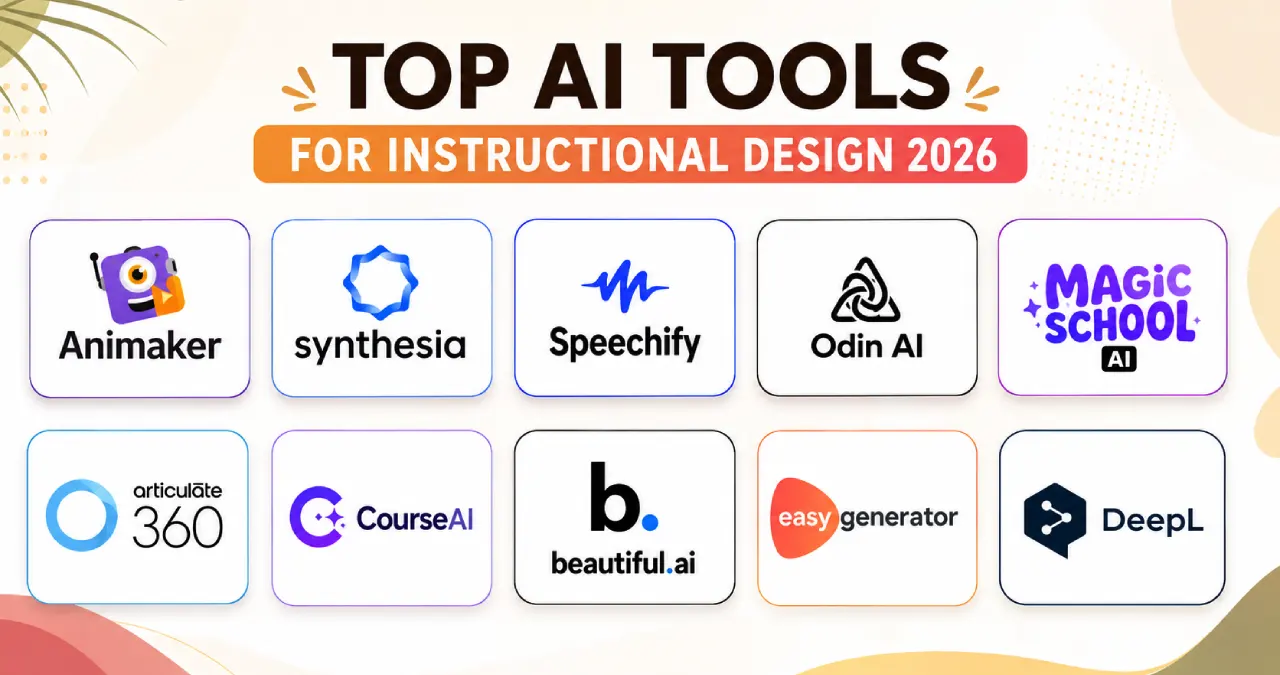
This is the ultimate guide that checks the best AI tools for instructional design. It consists of features, advantages, pricing, limitations, and their use cases.
Table of Contents
What are AI Tools for Instructional Design?
AI tools for instructional design are software applications that assist learning experts in producing, planning, and improving learning materials. The tools help the creator produce the best lesson, along with writing the course. It assists in producing the assessment and creating multimedia. It supports interpreting and translating, along with development in accessibility.
How AI is Transforming Instructional Design
AI is changing instructional design in the following ways:
- Quick launch of course: It assists in launching an online course easily.
- Adaptive route in education: It modifies the degree of toughness and speed in real-time.
- Automatic examination: AI will create a quiz automatically that matches the learning goals.
- Assistance in different languages: It helps in translating into various languages of the world.
Criteria for Selecting AI Tools for Instructional Design
After examining the tools under different workflows of eLearning, AI is highly effective for decreasing assignments that need repetition. It includes writing a brilliant script and creating quizzes. It also helps in localization. The instructional designers are important for involving the students.
The major criteria for the selection of the AI tools include the following:
- Regulation in governance: Offers lockdown editing and brand agreement.
- Formatting in production: Presents responsive mobile, xAPI, and SCORM.
- Accessibility compliance: Assists in screen reading.
- AI content generation capabilities: Create scripts, structure, examination, and translation.
- Security of enterprise: Shows regulation in data residency, SSO, and SOC 2.
- LMS Integration: Learning management system connects the difference between delivery and creation.
- xAPI Support: The support of the Experience API helps creators understand learning activities like social learning and video-based communication.
- AI accuracy and reliability: The accuracy of the AI tool is an important factor.
- Collaboration Features: It is going to help in teamwork among stakeholders, subject matter experts, and designers.
- Analytics: It assists creators in understanding the involvement of the student and points out the gap in knowledge.
- Customer Support: The instructional design tool is judged based on customer care.
Guide to The Best 10 Tools for Instructional Design
1. Animaker
Animaker is an animation creator using AI, helping in text-to-video, AI voice, automatic lip syncing, SCORM compatibility, and tutorial video creation.
Features
- Helps in text-to-video creation.
- Assists in creating an AI voice.
- Include several modifiable templates.
- Lip-syncing is automatic.
- Supports the export for application in SCORM-assisted eLearning workflows.
- Perfect for producing explainer and tutorial videos.
Pros
- Does not need software.
- Friendly for starters.
- Remarkable creator of character
- Saves time in creation.
Cons
- Slow speed in big projects.
- Depends on the internet.
- Limited free version.
- The tool is not suitable for customized motion graphics or 3D.
Pricing
- Free: $0
- Basic: $10 per month
- Starter: $19 per month
- Pro: $49 per month
Best for
Educators, marketers, and beginners.
2. Synthesia
Synthesia is an AI video generation platform assisting instructional designers in forming videos for professional training with the help of genuine AI avatars and voiceovers in different languages.
Features
- Offers customized and stock avatars.
- Presents voice cloning, AI dubbing, and text-to-speech.
- Generates videos from ideas.
- Helps in screen recording using AI.
- Supports team workspace and brandkit.
Pros
- Saves time and expense.
- Helps in the expansion of business.
- Anyone can use it.
- Integrates with CRM and LMS.
Cons
- Restricted range of emotion.
- Limitation in pricing.
- Absence of live editing.
Pricing
- Free: $0
- Starter: $29
- Creator: $89
Best for
Marketers, HR professionals, and corporate trainers.
3. Speechify
Speechify is an AI tool that converts text to speech, AI podcasting, AI summarising, cloning and dubbing of voice, and audio-based learning.
Features
- Offers AI podcasting.
- Helps in AI summarizing.
- Converts voice to text.
- Dubs and clones’ voice.
- Presents narration.
- Helps in accessibility.
- Supporting learning through audio.
Pros
- Scans document.
- Connects different devices.
- Amazing quality of voice.
- Helps the members to improve their speed of reading.
Cons
- A costly premium version for getting the remarkable features.
- Problems with formatting and pronunciation.
- Issue with voice control and advanced skipping.
Pricing
- Free: $0
- Premium: $29 per month
Best for
Produces content for audio learning, assists in accessibility, narration, and training material in different languages.
4. Odin AI
Odin AI is an AI tool for creating a chatbot without coding, enterprise training, acts as an AI notetaker, and a chatbot builder.
Features
- Works in autopilot.
- Offers chat assistance.
- Works as an AI notetaker.
- Acts as a chatbot builder.
Pros
- Application without coding.
- Intake of different forms of data.
- Automates meeting.
- Pricing shows clarity.
Cons
- Problem with linking the past chat thread.
- Issues with management and company culture.
Pricing
- Pro: $50 per month
- Growth: $15000 one time
- Scale: $30000 one time.
Best for
Marketing and sales team, security and IT managers group, HR professionals, business analytics and operations manager.
Its Role in Instructional Design
Odin AI is ideal for those companies that produce AI-guided learning help. It responds to the queries of the student and offers knowledge assistance while training.
5. MagicSchool AI
Magicschool AI is an AI tool for guiding teachers, created to organise lessons, create study samples, provide AI-assisted learning, and conduct examinations and quizzes.
Features
- Creates a plan for the lesson.
- Produces quizzes and examinations.
- Helps in learning through AI.
- Offers feedback in writing.
Pros
- Saves a lot of time.
- Created particularly for an educational scenario.
- Remarkable privacy in data.
Cons
- Needs a human being for editing.
- Excessive dependency.
- Requires time to learn.
Pricing
- Free: $0
- Plus: $99.96 per year.
Best for
Teachers, school administrators, general trainers, special education teachers, and counsellors.
6. Articulate 360 AI assistant
Articulate 360 AI assistant is a generative AI tool created to assist instructional designers, along with the course creators, in producing programs for e-learning.
Features
- Creates content using AI and magic text import.
- Helps in inline editing and writing.
- Creates different types of images.
- Presents an interface for AI chat.
Pros
- Ensures complete privacy.
- Helps in creating quizzes, images, and text-to-speech.
- Decreases the time to form a course.
Cons
- Limited in terms of quality and facts.
- The standard of the image is not good.
Pricing:
- Articulate 360 AI $1198 USD per year.
- Localization $5000 every year.
- Reach Pro $3600 per year.
Best for:
Learning and development professionals, corporate trainers, and instructional designers.
7. Courseai
CourseAI is a platform to reduce the time for producing online courses, planning, creating AI images, and AI quizzes.
Features
- Creates video scripts
- Generates AI images
- Produces an AI quiz
- Launches and sells the course.
Pros
- Instant production, of course.
- Easy to use.
- Improves the content.
- Creates email copy.
- Produces a landing page.
Cons
- Absence of originality in content.
- Fact-finding and formatting are essential for the course creators.
- Fails to create a supportive community.
Pricing
- Starter $19 per month
- Pro: $49 per month
- Expert: $249 per month
Best for
Corporate trainers, human resources, digital marketers, consultants, and coaches.
Genuine Use Case
The corporate trainer is going to apply CourseAI for creating a structure of the program on cybersecurity, and then Animaker is the best choice. It forms animated videos and explains the topic clearly to the student. Speechify is great for narration in different languages.
8. Beautiful AI
Beautiful AI is an AI tool for the automatic design of slide presentations, controlling brand through typography, logos, and visualizations using charts, graphs, and infographics.
Features
- Offers auto-formatting with smart slides.
- Creates a slide with AI content.
- Regulates the brand using typography, logo and color palettes.
- Offers visualization through infographics, graphs, and charts.
Pros
- Automatic creation with smart slides.
- Creates the initial draft from prompts.
- Observes engagement and viewing time for each slide.
Cons
- Irregularity in export.
- Problem with customization of layouts.
- Monthly charges are quite high in comparison to conventional tools.
Pricing
- Pro: $12 per month
- Teams is $40 / month/ user.
Best for
Best professionals, startup founders, sales professionals, and marketers.
9. EasyGenerator
EasyGenerator is also called EasyAI, which is an in-built assistant on the cloud for e-learning, creating interactive training programs, creating summaries, and simplifying text.
Features
- Helps in creating a summary.
- Simplifies text.
- Fix the instructions for the course.
- Share the files in reference.
Pros
- Reduces the time in quizzes.
- Easy to learn.
- Translates the study material into different languages.
- AI helps in creating the structure of the course and assessment.
Cons
- Absence of high-level interaction.
- Content cannot be customized.
- Costly for individuals.
Pricing:
- Pro: $116 per month
- Team: $582 per month
- Enterprise: Contact us
Best for
HR professionals, departmental trainers and subject matter experts.
10. DeepL
DeepL is an AI tool for translating a glossary, document, and multilingual learning, a translation tool that integrates with other tools for productivity.
Features
- Helps in translation
- Assists in writing.
- Works in different languages in real time.
- Integrates with different productivity tools.
Pros
- High level of accuracy.
- Security is enterprise-level.
- Translates the document smoothly.
Cons
- Restricted language assistance.
- Changes the tone.
- Tough to translate uncommon words.
Pricing
- Individual $8.74 per month
- Team $28.74 per user per month
- Business $57.49 per user per month
- Enterprise Custom
Best for
DeepL is ideal for international business executives, legal experts, and translators.
Comparison of AI Tools for Instructional Design
| Tool name | Core Functionality | Basic Strength | Best used for |
| Animaker AI | Creating animation and video | Animation of a character and a genuine voiceover. | Explainer videos, |
| Synthesia | Changes text to videos | Create high-quality videos | Business and educational content. |
| Speechify | Studio and text-to-speech | Audio narration and text-to-speech. | Audio of language course |
| Odin Ai | Customized agents of the enterprise | RAG-guided knowledge base | Interpretation of big PDF datasets. |
| Magic School AI | Education assistant | Library of learning tools | Creates quizzes and lesson plans |
| Articulate360 AI Assistant | AI-enabled e-learning writing and development program | Improves the style and tone of writing. | E-learning course |
| CourseAI | Course creator | Creates the content and structure of the course | Increases e-learning course growth. |
| Beautiful.ai | Presentation design | Templates that animate and auto-format. | Creating slides for training and pitch decks. |
| EasyGenerator | Creates courses from a document. | Helps designers create training material. | Creating e-learning materials. |
| DeepL AI | Copywriting, translation, and localization. | Accurate translation based on context. | E-learning guides. |
Top AI Tools Based on Use Case
| Use Case | Best Tool |
| Course formation | CourseAI |
| Organizing a lesson | MagicSchool AI |
| AI videos | Synthesia |
| Voiceovers | Speechify |
| Research and content development | Articulate 360 AI Assistant |
| Translation | DeepL |
| Research | Odin AI |
Benefits of AI for Instructional Design
The important advantages of AI in instructional design are as follows:
- Analyzes the need: It conducts an analysis of the user’s requirements.
- Assists in the generation of SME interview questions: It helps in creating the questions for the SME interview.
- Helps in storyboarding: It supports the creation of a visual structure of a story or project.
- Creates a script for a course: It produces a script on a particular training program.
- Produces an assessment: It helps a creator launch an examination.
- Builds a scenario: It establishes the background.
- Assists in creating voiceovers: It supports the production of voiceovers.
- Supports localization: It assists in local activities.
- Guides in accessibility: Help in increasing accessibility using alt text suggestions, captions, and audio narration.
Limitations of AI for Instructional Designers
The limitations of AI are as follows:
- Absence of depth in content: AI tools face problems in complicated frameworks.
- Without any empathy and context: Lacks cultural nuances and problems in the meeting.
- Joint effort of the stakeholder and the SME: AI cannot substitute for the joint effort between stakeholders, instructional designers, and subject matter experts.
- Treating the genuine problem: AI might face a problem in precisely pointing out the genuine learning and output difference in the absence of human analysis.
- Shows bias and hallucination: The assistance is backdated and creates bias in training information.
Conclusion
The best AI tool relies on the workflow. In the course creation, Easygenerator and CourseAI are good choices. In the training videos, we believe that Animaker and Synthesia are remarkable. In lesson planning, MagicSchool AI is the best choice. Adding different AI tools offers the right outcome in instructional design.
FAQ
Will the AI-enabled programs fulfil the accessibility instructions?
Different tools for AI authoring are available, which talk about the alt-text in images. These tools have the power to create headlines. On the other hand, the human review is compulsory, which agrees with the rules of accessibility, e.g., Section 508 and WCAG.
Is there any chance of AI replacing instructional designers?
It is not possible to replace instructional designers because AI handles rote authoring tasks. It creates basic drafts along with human skill, which is really important for alignment with the instruction. It includes the kindness of the learner and a guarantee of quality.
How does AI help in the phase of Needs Analysis?
AI assists in creating a brief on the long files of the stakeholders, and it points out the differences in knowledge among different sources. It creates pertinent queries for an interview with a Subject Matter Expert. Certain AI tools have the power to talk to students to find out the difference in the output before the launch of the course.
Which is the best AI tool for instructional design?
Synthesia is the ideal tool for instructional design as it helps instructional designers to create videos for training.
Do you think AI produces SCORM-compliant courses?
Yes, AI can create SCORM-enabled courses. It works in the form of authoring help in comparison to the total operation by itself.
How do instructional designers apply AI in the growth of e-learning?
AI is applied in the quick development of course, localization, personalization and predictive analytics.
Which AI tools integrate with LMS platforms?
Synthesia, Easygenerator, Articulate 360, and CourseAI help in integrations that function in different LMS platforms.