
Creating social media content consistently takes time. From writing captions and designing graphics to editing short videos and scheduling posts, managing multiple platforms can quickly become overwhelming. AI tools for social media content creation can simplify these tasks, helping creators, marketers, and small businesses produce content more efficiently.
The right tools can help you brainstorm post ideas, maintain a consistent brand voice, create promotional graphics, repurpose long videos into short clips, and organize publishing schedules. However, not every tool is suitable for every task, and AI-generated content still needs human review.
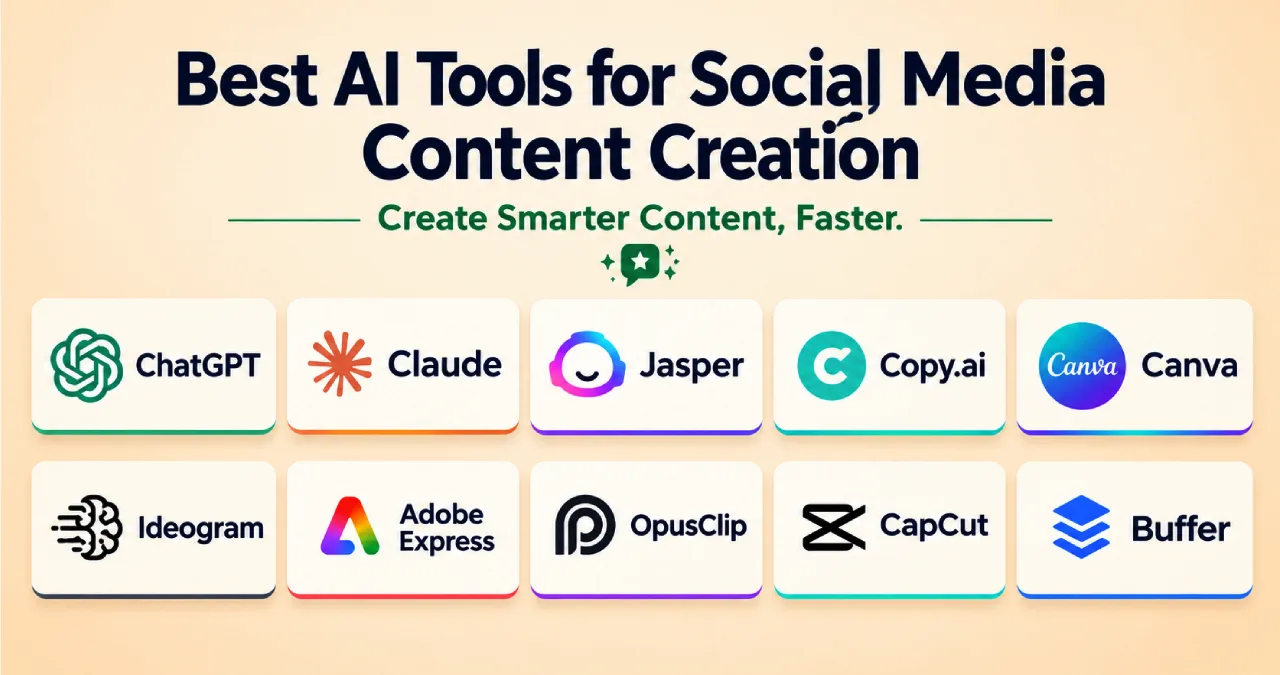
In this Ainewsjournal guide, we explore 16 AI tools for social media content creation in 2026, covering writing, graphic design, video editing, advertising, and social media management. You will also find practical prompts, key features, limitations, and guidance on choosing the right tools for your workflow.
Table of Contents
Why Use AI Tools for Social Media Content Creation in 2026?
AI tools can help reduce repetitive work and make content production more manageable. Rather than replacing human creativity, they can support the process from initial brainstorming to final publishing.
Here are some common benefits:
- Faster content creation: Generate caption ideas, outlines, post variations, and video scripts.
- Consistent branding: Adapt content to a preferred tone, audience, and visual identity.
- Simpler design: Create graphics, advertisements, and social media layouts without advanced design skills.
- Video repurposing: Turn longer recordings into shorter clips suitable for different platforms.
- More organized publishing: Plan campaigns, schedule posts, and coordinate content across social accounts.
- Easier experimentation: Develop multiple creative variations to test different messages and formats.
The most effective approach is to choose tools based on your actual needs. A solo creator may only need a writing assistant, a design tool, and a scheduler. A marketing team may benefit from more advanced automation and collaboration features.
AI Writing Tools for Captions and Post Copy
Writing tools help generate social media captions, promotional copy, content calendars, and platform-specific variations. They are especially useful when you need to communicate the same message across several channels without making every post identical.
1. ChatGPT: AI Assistant for Captions and Content Ideas
ChatGPT can help brainstorm social media campaigns, write captions, develop content calendars, and adapt posts for platforms such as Instagram, LinkedIn, Facebook, and X.
It is particularly useful for overcoming writer’s block and generating several creative directions before selecting the strongest idea.
Key features
- Caption and headline generation
- Content calendars and campaign brainstorming
- Platform-specific post variations
- Image generation and creative assistance
- Editing, rewriting, and tone adjustments
Advantages: Flexible, beginner-friendly, and useful for a wide range of content tasks. A free option is available.
Limitations: Outputs may sound generic or include unsupported claims. Captions often need editing to reflect your brand’s personality and audience.
Best for: Creators, freelancers, small businesses, and marketers who need a versatile content assistant.
Example prompt:
“Write five Instagram captions for [product]. Keep each under 125 characters and use a different approach: a question, a bold claim, a short story, a useful fact, and a how-to tip. Avoid unsupported claims.”
2. Claude: Writing Assistant for Brand Voice
Claude is useful for drafting thoughtful social media posts, rewriting longer content, and maintaining a consistent writing style across campaigns.
You can provide examples of previous posts, explain your brand guidelines, and ask Claude to follow the same tone when generating new content.
Key features
- Brand-voice adaptation using supplied examples
- Long-form content summarization
- Platform-specific rewrites
- Campaign messaging and content brainstorming
- Editing for clarity and tone
Advantages: Helpful for nuanced writing, detailed instructions, and adapting existing material.
Limitations: Outputs still require review, and design or publishing capabilities may depend on the workflow and integrations you use.
Best for: Brands that prioritize consistent messaging and a distinctive editorial voice.
Example prompt:
“Review these five social media posts and identify five characteristics of our brand voice. Then write three LinkedIn posts about [topic] using that voice. Keep the wording natural and avoid exaggerated claims.”
3. Jasper: AI Copywriting for Marketing Teams
Jasper focuses on marketing content, making it useful for teams that need to produce campaign copy while following established brand guidelines.
Depending on the plan and available features, marketers can use it to develop social posts, advertising messages, and related campaign assets.
Key features
- Brand voice and style guidance
- Marketing-focused content generation
- Campaign copy variations
- Reusable content workflows
- Collaboration features on eligible plans
Advantages: Designed around marketing workflows and consistent brand messaging.
Limitations: Paid access may be necessary for the capabilities a business needs. It can be excessive for someone who only posts occasionally.
Best for: Marketing teams, agencies, and businesses managing several campaigns or brands.
Example prompt:
“Using our brand guidelines, write three Facebook posts announcing [offer]. Keep each post under 40 words, explain the main benefit, and finish with a clear call to action.”
4. Copy.ai: Workflow Automation for Marketing Content
Copy.ai combines AI writing with workflow-oriented features. It can help teams turn source material into different content formats and organize repeatable marketing tasks.
For example, a marketer can use an article as the starting point for social media posts, email teasers, and campaign messages.
Key features
- AI-assisted content generation
- Reusable workflows
- Content repurposing
- Multiple AI model options, depending on the plan
- Marketing and sales process automation
Advantages: Useful for repetitive content processes and producing multiple variations from one source.
Limitations: Available features, usage allowances, and pricing depend on the subscription. Complex workflows may require setup and testing.
Best for: Teams that regularly repurpose content or automate recurring marketing tasks.
Example prompt:
“Turn this blog article into five X posts, two LinkedIn posts, and one email teaser. Give each version a different angle while preserving the original facts.”
AI Design and Image Tools for Social Media Graphics
Visual content plays an important role in attracting attention and communicating a message quickly. AI-assisted design tools can help users create social media graphics without starting every design from scratch.
5. Canva: Graphic Design and Social Media Templates
Canva is a practical option for creating social media graphics, carousels, advertisements, presentations, and other visual assets.
Its template library and AI-assisted features make it accessible to beginners who want professional-looking designs without advanced design skills.
Key features
- Social media templates and layouts
- AI-assisted writing and image creation
- Brand kits and reusable design elements
- Image editing and resizing
- Carousel and promotional graphic creation
Advantages: Easy to learn, versatile, and suitable for a wide range of social media formats.
Limitations: Some features and premium assets require a paid plan. Templates may also look repetitive if they are not customized.
Best for: Beginners, small businesses, content creators, and social media managers.
Example prompt:
“Create a five-slide Instagram carousel about [topic]. Use a clean [color] palette, one key takeaway per slide, a strong opening headline, and a clear call to action on the final slide.”
6. Ideogram: AI Image Generation for Text-Heavy Graphics
Ideogram is an image-generation tool worth considering when a design needs prominent text, such as a promotional poster, quote card, or campaign graphic.
It can help explore different visual styles and create concepts for social media assets.
Key features
- AI-generated images and graphic concepts
- Typography-oriented visual generation
- Promotional poster and banner concepts
- Multiple visual styles
- Plan-dependent generation and privacy options
Advantages: Useful for exploring creative directions and producing text-focused visual concepts.
Limitations: Generated text and fine details should still be checked. Privacy settings, generation limits, and commercial-use conditions depend on the current plan.
Best for: Creators who need distinctive posters, quote cards, and text-led promotional visuals.
Example prompt:
“Create a minimalist promotional poster with the exact headline ‘FRESH DROP FRIDAY’. Use cream lettering on a deep green background, strong contrast, balanced spacing, and a clean composition.”
7. Adobe Express: Design with Adobe Firefly AI
Adobe Express helps users create social media graphics, short promotional videos, and branded visual content. Its AI-assisted tools and integration with Adobe’s creative ecosystem can be useful for producing campaign assets.
Key features
- Templates for social media content
- AI-assisted image generation and editing
- Background removal and image resizing
- Typography and stock assets
- Brand kits and reusable design elements, depending on the plan
Advantages: Useful for quick branded designs and users who already work with Adobe products.
Limitations: Some assets and advanced features require a subscription. AI-generated visuals may need refinement before publication.
Best for: Businesses and creators who want branded graphics with flexible editing options.
Example prompt:
“Create a warm, photorealistic flat-lay featuring coffee, a notebook, and a laptop on a wooden table. Leave clear space at the top for a promotional headline.”
AI Tools for Video and Reels Creation
Short-form video can be demanding because it requires scripting, editing, captions, pacing, and platform-specific formatting. AI video tools can simplify some of these tasks, although the amount of automation varies.
8. OpusClip: Turn Long Videos into Short Clips
OpusClip helps creators repurpose longer videos into shorter clips suitable for social media. It can identify potential highlights, reframe footage, and generate captions.
This can be particularly useful for podcasts, interviews, webinars, and educational videos.
Key features
- AI-assisted clip selection
- Automatic reframing for vertical video
- Captions and keyword highlighting
- Clip scoring and editing tools
- Additional publishing and repurposing features, depending on the plan
Advantages: Reduces the manual effort involved in finding and editing short clips from long recordings.
Limitations: Automated selections may miss context or choose less compelling moments. The free plan has limitations, and export options vary by subscription.
Best for: Podcasters, educators, interviewers, and creators who already produce long-form videos.
Example prompt:
“Identify eight useful moments from this video. Prioritize clips lasting 30–45 seconds that begin with a clear hook, communicate one complete idea, and end naturally.”
9. CapCut: Short-Form Video Editing
CapCut is a video editor designed for accessible editing across short-form and other video formats. It offers tools that can help creators add captions, improve footage, and produce platform-ready videos.
Key features
- Automatic captions
- Video trimming and transitions
- Background removal and other AI-assisted edits
- Resizing for different aspect ratios
- Audio and visual editing tools
Advantages: Offers a relatively accessible editing workflow, including a free version.
Limitations: Feature availability can vary by region, device, and plan. Automated effects do not replace careful editing, and creators must still select the right footage and pacing.
Best for: TikTok creators, Instagram Reels publishers, YouTubers, and beginners editing short videos.
Example prompt:
“Edit this script into a 30-second vertical video. Open with a strong hook, use readable captions, keep transitions purposeful, and finish with a clear call to action.”
10. InVideo AI: Generate Videos from Text Prompts
InVideo AI can turn a written prompt or script into a video draft using elements such as stock footage, voiceovers, and text.
It is useful when you have a topic or campaign idea but lack the footage or time to assemble a video manually.
Key features
- Prompt-to-video generation
- Script and voiceover assistance
- Stock media integration
- Video editing and scene adjustments
- Social media video formats
Advantages: Helps users create an initial video draft without filming every scene.
Limitations: Generated scenes may not match the intended message perfectly. Stock footage, voiceovers, and visual continuity should be reviewed before publishing.
Best for: Marketers, small businesses, and creators who need explanatory or promotional videos without extensive filming.
Example prompt:
“Create a 45-second vertical video explaining three common mistakes new gardeners make. Use a friendly voiceover, relevant garden footage, readable captions, and a concise closing tip.”
11. Submagic: Animated Captions for Short Videos
Submagic focuses on editing short videos with captions and other attention-grabbing elements.
Its features can help creators produce caption-led clips for platforms where viewers frequently watch videos without sound.
Key features
- Automatic captions
- Animated caption styles
- Silence removal
- AI-assisted B-roll and editing features
- Additional branding and publishing features, depending on the plan
Advantages: Helps streamline caption styling and repetitive short-video editing tasks.
Limitations: Automated captions can contain transcription errors. Advanced features may require a paid plan, and excessive animation can distract from the message.
Best for: Video creators who publish frequent talking-head clips, tutorials, and educational content.
Example prompt:
“Add readable animated captions to this video. Highlight important terms, use a consistent visual style, remove unnecessary pauses, and keep the captions synchronized with the speaker.”
12. Captions: AI Presenter and Talking-Head Videos
Captions offers tools for creating and editing videos, including AI-assisted presenter and talking-head workflows.
It can be useful when you need polished explanatory content or want to streamline the production of short videos.
Key features
- AI-assisted video editing
- Caption generation and styling
- Presenter and avatar-related features
- Script and delivery assistance
- Video repurposing capabilities, depending on the plan
Advantages: Useful for creators who produce frequent spoken-content videos and want to reduce editing time.
Limitations: Advanced capabilities may require a paid subscription. Synthetic presenters can feel unnatural, and any likeness or voice cloning should be used with appropriate permission.
Best for: Educators, marketers, and businesses producing regular presenter-led content.
Example prompt:
“Create a 30-second presenter-led video explaining [offer]. Use a warm, confident delivery, introduce the main benefit immediately, and finish with a clear next step.”
AI Tools for Paid Social Media Advertising
Advertising tools can help marketers generate creative variations and develop campaign concepts more quickly. However, AI-generated advertisements still need to be checked for accuracy, brand consistency, and compliance with platform policies.
13. AdCreative.ai: Generate Advertising Creatives
AdCreative.ai focuses on generating advertising assets and related marketing copy. It can help marketers explore different visual approaches and produce multiple creative concepts for a campaign.
Key features
- AI-assisted advertising creative generation
- Ad copy and headline variations
- Creative evaluation features
- Brand-related customization
- Support for different advertising formats, depending on the plan
Advantages: Helps accelerate creative brainstorming and the production of alternative ad concepts.
Limitations: Automated creative scores do not guarantee real-world advertising performance. Credits, downloads, and available features depend on the subscription.
Best for: Advertisers and marketing teams that regularly test multiple creative approaches.
Example prompt:
“Generate six Facebook ad concepts for [product] targeting [audience]. Keep each headline under eight words, emphasize a verifiable benefit, and use a different creative angle for each concept.”
14. Predis.ai: Social Media Post and Ad Generation
Predis.ai helps users generate social media content from prompts and other inputs, including product or website information.
It can be useful for businesses that need a repeatable process for developing posts, captions, and promotional creatives.
Key features
- AI-assisted social media post generation
- Caption and creative suggestions
- Product- and URL-based content workflows
- Brand customization
- Scheduling and other marketing features, depending on the plan
Advantages: Combines several content-production tasks in a workflow aimed at social media marketers.
Limitations: Generated product information and promotional claims must be verified. Advanced features and usage allowances depend on the subscription.
Best for: Small businesses, ecommerce brands, and social media managers producing content regularly.
Example prompt:
“Create seven Instagram post concepts for [product URL]. Use a different angle for each day: product benefit, tutorial, customer question, use case, behind the scenes, offer, and frequently asked question.”
AI Tools for Social Media Planning and Publishing
Creating content is only one part of social media management. Teams also need to organize publishing schedules, coordinate accounts, and maintain a consistent posting routine.
15. Buffer: Simple Social Media Scheduling
Buffer helps users organize and schedule social media posts. Its AI-assisted writing features can support caption drafting and the adaptation of content for different platforms.
Key features
- Social media post scheduling
- Content calendar
- AI-assisted writing and rewriting
- Multi-platform publishing
- Analytics and collaboration features, depending on the plan
Advantages: A straightforward option for creators and small businesses that want a more organized publishing process.
Limitations: Account limits, analytics, and advanced collaboration features depend on the subscription. Scheduling alone does not replace audience research or engagement monitoring.
Best for: Solo creators, freelancers, and small teams managing several social accounts.
Example prompt:
“Rewrite this post for LinkedIn, X, and Instagram. Preserve the main message, adjust the tone and length for each platform, and avoid repeating the same opening sentence.”
16. Hootsuite: Social Media Management for Teams
Hootsuite provides social media management features for businesses and teams that need to coordinate publishing, monitor activity, and analyze performance across accounts.
Its suitability depends on the size of your team and the complexity of your social media workflow.
Key features
- Social media scheduling and publishing
- Content planning
- Performance analytics
- Monitoring and engagement workflows
- AI-assisted content features, depending on the plan
Advantages: Can support coordinated social media management across multiple accounts and team members.
Limitations: Advanced features may be more than an individual creator needs. Subscription costs and available features should be checked before committing.
Best for: Agencies, larger businesses, and marketing teams managing several social media accounts.
Example prompt:
“Draft five LinkedIn posts announcing [event]. Give each post a different angle, include the essential event details, and finish with a clear registration call to action.”
How to Choose the Right AI Tools for Social Media Content Creation
You do not need all 16 tools to build an effective social media workflow. Start with the task that consumes the most time, then add another tool only when it solves a specific problem.
Use this table as a starting point.
| Your main goal | Start with | Consider adding |
|---|---|---|
| Captions and content ideas | ChatGPT or Claude | Jasper for structured brand workflows |
| Branded graphics | Canva | Ideogram for text-focused visuals |
| Short clips from long videos | OpusClip | Submagic for caption styling |
| Videos without filming every scene | InVideo AI | CapCut for further editing |
| Presenter-led videos | Captions | CapCut for additional edits |
| Advertising creatives | Predis.ai | AdCreative.ai for creative evaluation |
| Social media scheduling | Buffer | Hootsuite for more complex team workflows |
Before choosing a paid plan, consider these factors:
1. Identify your biggest bottleneck. If writing captions takes too long, start with a writing assistant. If video editing is the problem, prioritize a video tool.
2. Check the free options. Test the available free plans or trials to understand the workflow before paying. Free access may have limits on exports, credits, features, or usage.
3. Compare total costs. Look at monthly and annual billing, usage limits, export restrictions, and any additional costs associated with your workflow.
4. Check integrations. Make sure the tool supports the social platforms and file formats you actually use.
5. Evaluate output quality. Test a few real tasks and review the results for accuracy, visual consistency, editing effort, and usefulness.
6. Protect your content and data. Review privacy settings, data-handling policies, and commercial-use terms before uploading confidential business information or customer content.
For more options, see our guide to the best free AI tools for marketing in 2026. If video production is your main challenge, explore our guide to the best AI video editing tools for content creators.
Best Practices for Using AI in Social Media Content
AI can make content production faster, but the quality of the final result still depends on human judgment.
Follow these practices to get more value from your tools:
- Provide context: Include your audience, platform, objective, brand voice, and preferred format in each prompt.
- Avoid generic posts: Add original examples, relevant insights, and a perspective that distinguishes your brand.
- Verify facts: Check statistics, product details, prices, and promotional claims before publishing.
- Review visuals: Inspect generated images and videos for errors, misleading details, and inconsistent branding.
- Adapt content to each platform: A LinkedIn post may require a different structure from an Instagram caption or an X post.
- Respect permissions: Use appropriate rights and permissions for images, voices, likenesses, music, and customer material.
- Measure actual results: Track engagement, clicks, conversions, watch time, and other metrics relevant to your goals.
AI-generated content should be treated as a draft or production aid, not as a guarantee of audience engagement or business growth.
Conclusion
The best AI tools for social media content creation in 2026 depend on your goals, budget, and existing workflow. ChatGPT and Claude can help with writing, Canva and Ideogram support visual creation, and tools such as OpusClip, CapCut, and InVideo AI can streamline video production. Predis.ai and AdCreative.ai help with advertising creatives, while Buffer and Hootsuite support publishing and management.
For most beginners, a small toolkit is the most practical starting point: one writing assistant, one design or video tool, and one scheduling platform if needed.
Test the tools on real projects, compare the quality of their outputs, and review their current pricing before subscribing. The goal is not to use the most AI tools, but to find the few that make your content workflow more efficient without sacrificing accuracy, originality, or your brand’s voice.
Frequently Asked Questions
Do I need a paid AI plan to start creating social media content?
No. Several tools offer free plans or limited free access, including ChatGPT, Claude, Canva, CapCut, Buffer, and OpusClip. These options can be sufficient for testing basic workflows, although usage limits and available features vary.
Can I publish AI-generated social media posts without editing them?
It is better to review every post before publishing. Check the facts, tone, grammar, brand consistency, image quality, and any claims about products or services. Adding original insights can also make your content more useful and distinctive.
Which AI tool is best for social media advertisements?
Predis.ai and AdCreative.ai are both worth evaluating for advertising creatives. The better choice depends on the types of assets you need, your workflow, and the features included in each plan. Test the outputs and evaluate actual campaign results rather than relying solely on automated scores.
How many AI tools does a solo creator need?
Many solo creators can start with two or three tools: a writing assistant, a design or video editor, and optionally a social media scheduler. Add more tools only when they solve a clear problem.
Can AI tools automatically manage all my social media accounts?
Some platforms offer scheduling, publishing, analytics, and workflow automation. However, capabilities vary, and human oversight remains important for responding to customers, checking content, managing sensitive situations, and maintaining a consistent brand voice.
How often should I review AI tool pricing and features?
Review pricing and plan limits before subscribing and periodically afterward. Providers can change their subscription tiers, usage allowances, included features, and billing conditions.