
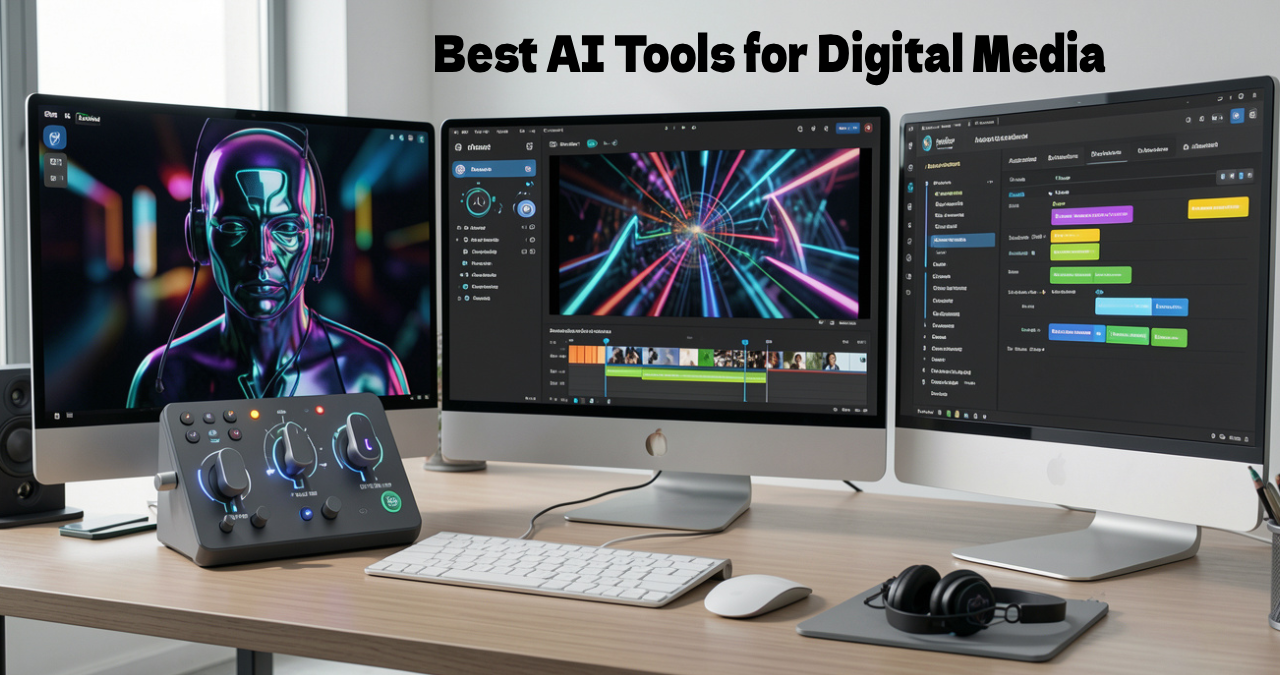

In-app generative AI tools have changed digital media, completely changing the innovative workflows. It automates design, complex editing, and copywriting activities directly in the native applications.
By attaching sophisticated AI models to the platform like Shortwave, Notion, Wondershare Filmora, Adobe Photoshop and ElevenLabs, creators can quickly create top-quality assets. They can delete useless distractions and improve the output of content without abandoning the software interface. It enhances output for designers, media teams, content creators, and marketers.
In this Ainewsjournal article, we are going to discuss the best In-app Generative AI tools for digital media.
Table of Contents
What is an In-App Generative AI Tool?
An In-app Generative AI tool can be defined as an authentic artificial intelligence facility connected directly in the software application. It is similar to a messaging app, design platform or word processor. Other than the AI platforms, in-app generative AI tools work directly in the present software applications, permitting people to produce content without changing between different tools. It allows people to form images, code and text in the workplace.
Top 5 In-app Generative AI Tools
1. Shortwave
Shortwave is a productivity workflow app and it offers an AI-assisted email client created to change the inbox of Gmail into a quick and planned workplace. It works in the form of a private executive assistant through high-level AI to reduce long threads.
Features
- AI-guided drafting and writing
- Automation and customized AI filters
- Smart scheduling
- Supports conversational AI-guided search
Pros
- Writing help
- Task-related interface
- Conversational AI search
Cons
- The desktop app is not offline.
- It takes time to learn.
- Restricted email integration.
Pricing
- Free
- Pro $14 per seat per month
- Business $24 per month per seat
Best for: Semantic search at a deep level, smart inbox planning, and conversational AI assistant.
2. Notion
Notion AI indicates a built-in online assistant linked directly to the workstation of Notion. It automates the same actions rather than abandoning the notes.
Features
- Enterprise search
- AI agents
- Automation of the database
- Content creation
- Content planning
- Editorial workflows
- Documentation
Pros
- Streamlined drafting
- Autofilling of the database
- Ensures the safety of the user.
- Context awareness in the workspace search
Cons
- Extra cost
- Database hallucinations
- Reliance on the internet.
Pricing
- Free Plan
- Paid plan: $10 per user per month
Best for: Individuals and teams for content writing, handling complicated databases, etc.
3. Wondershare Filmora
Wondershare Filmora can be defined as a simple software for editing videos. It reduces the difference between professional suites and normal phone applications.
Features
- AI Video Generator
- AI Thumbnail Creator
- AI Smart Cutout
- Produces images and videos using prompts in text format using AI.
- Translates and lip-syncs using AI
- Voice cloning through AI.
Pros
- Friendly for beginners
- Huge library of assets.
- AI tools save time.
- Perfect social optimization.
Cons
- Excessive pop-ups
- Not for the experts.
- Slows down when there is a big workload.
- Secret costs.
- Limited free versions.
Best for
- Marketers
- YouTubers
- Beginners
- Normal video creators.
4. Adobe Photoshop
Adobe Photoshop can be defined as an industry-based software applied for editing raster images, digital art and photo retouching.
Features
- Adobe Firefly integration
- Text effects
- Text-to-image
- Generative Remove
- Neural filters
- Rotate objects
- Remove tools
- Generate expand
- Generate fill
Pros
- Saves time significantly.
- Accessible and user-friendly.
- Generates a lot of ideas.
Cons
- Changing accuracy.
- Need for hardware.
- Ethical and commercial issues.
Pricing: Adobe presents subscription plans, like Creative Cloud and Photography packages.
Best for: Digital art, creative compositing, photo retouching and editing of raster images.
5. Elevenlabs
ElevenLabs is a firm in audio research and AI voice perfect for voice cloning, conversational AI agents and text-to-speech.
Features
- Conversational AI
- Voice library
- Voice design
- Voice changer
- AI dubbing
- Voice cloning
- Text-to-speech
Pros
- User friendly
- Strong multilingual support
- High-quality voice cloning
- Unique realism
Cons
- It takes time to learn.
- Sudden glitches in pronunciation.
- High volume is quite expensive.
Pricing: Pricing changes based on features and usage. Go through the genuine website for the present plans.
Best for: Dubbing of video and audio, cloning voice, narration in podcast, and creating content for reels, YouTube and TikTok.
6. Canva AI
Canva AI is actually a generative AI tool with an integrated suite created straightaway for the design platform of Canva.
Features
- AI editing tools
- Magic media
- Conversational design
- Intelligent workflow.
Pros
- Saves time significantly.
- No need to design.
- Holistic workflow.
- Brand regularity.
Cons
- Restricted editing at an advanced level.
- Cost of subscription
- Needs connection of internet.
Pricing
- Free
- Pro $41.93
- Business $71.28
- Enterprise: Contact the sales manager.
Best for: Marketing team and non-designers.
7. Pitch
Pitch indicates a workspace for an AI presentation. The experts work together and produce excellent slide decks for a brand.
Features
- AI-assisted slide creation.
- Offering designs using AI.
- Producing brand-related decks.
- Collaborates in live editing.
Pros
- Smooth integration
- Analytics showing involvement
- Free plan available.
- Strong collaboration.
- Excellent regularity in design.
Cons
- Restricted AI prompts.
- Limited design.
- Problems in importing PowerPoint.
- Available only in English.
Pricing
- Free: $0
- Plus: $10/ month
- Team: $15 per seat per month
- Business $20 per seat per month
Best for: Presentation and collaboration.
8. Wix
Wix is the perfect application for creating design, handling production orieinted websites through conversational prompts.
Features
- AI-guided website creation
- AI blog tools
- AI text creator
- AI email generator
Pros
- Quick first draft
- Absence of coding.
- In-built tools for business.
Cons
- Limited template.
- Absence of planning.
- Absence of nuance related to the brand.
Pricing
- Free: $0
- Light: $2.62
- Core: $5.24 per month
- Business: $9.43 per month
- Business Elite: $18.87 per month
Best for: Small business owners and beginners.
Comparison of In-app Generative AI Tools
| Tools | Core Modality | Primary AI use case | Generative AI feature | Target audience |
| Shortwave | Text in email or calendar | Drafting, scheduling, and email triage. | Prompt automation, thread summarization and draft generation. | Remote teams, professionals. |
| Notion | Documents and texts. | Writing and tracking of projects. | Multi-app search, database autofill, meeting notes. | Students, creators and project managers. |
| Wondershare filmora | Editing and video creation. | Compositing and advanced photo editing. | Generative expand and generative fill. | Marketers, graphic designers and photographers. |
| Elevenlabs | Voice and audio | Music, text-to-speech and voice cloning | AI sound effects, audio translation, voice cloning | Marketers, game developers and voiceover artists. |
| Adobe Photoshop | Generative expand and generative fill. | Photo manipulation, advanced editing of images | Graphics and imaging | Commercial photographer and digital artist. |
| Canva AI | Text-to-design, multimodal generative AI | AI image generation, copywriting, automated workflows. | Magic Write, text-to-image, Magic Design | Students, trainers, content producers, and freelancers |
| Pitch | Analysis of video and audio, processing speech and content. | Interactive team collaboration, brand enforcement. | Pitch agent | Teams, sales professionals, and investors. |
| Wix | Text-to-site, text-to-code, text-to-image | Site management, business automation. | AI site generator, AI blog creator, AI image generator. | Content creator, agencies, freelancers, and marketer. |
Top 4 Ways to Select The Genuine In-app Generative AI Tool
- Understanding the particular use cases.
- Dependability and standard of output.
- Structure of cost
- Security of data.
What is The Importance of In-app Generative AI?
The importance is as follows:
- Excellent group activity.
- Fewer software changes.
- Low cost.
- Quick workflow.
Advantages for Professionals of Digital Media
The benefits are as follows:
- Creating content.
- Video production
- Design
- Production of audio.
- Marketing
How to Select The Right In-App AI Tool
The major factors for the choice are as follows:
- Type of content.
- Financial framework
- Size of the team.
- Quality of AI.
- Integrations
Trends in The Future of 2026
The major trends are as follows:
- Multimodal generation
- AI agents
- Collaboration in real-time.
- Personal way of content creation.
Conclusion
In digital media, we observe a change in the in-app generative AI tools. It transforms innovative workflows from a tiresome system into a collaborative experience. The features are brought straight away to regular websites. The tools help creators maintain regularity in the company. It produces content at a personal scale. It abandons the scenario of original work.
Shortwave is a generative AI tool helping with conversational AI assistants and smart inbox planning. ElevenLabs is an AI tool that guides us in voice cloning, text-to-speech and more. Adobe Photoshop helps in creative compositing, digital art, editing of raster images, and photo retouching. Wondershare Filmora helps marketers, YouTubers, normal video creators and beginners.
FAQ
Do you need prior editing or design experience to use the tools?
No. Magic is a feature of Canva, which is a tool for beginners. It helps them generate different forms of design, like ordinary text commands.
How do the AI tools save the created media from problems of ownership?
Commercial-level applications teach the models on data under the public domain or a license. For example, the design of Adobe Firefly is commercially secure for business. It offers copyright ownership and commercial licensing.
Do those tools accurately match the tone of the company?
Yes. Tools like Adobe Firefly and Notion AI permit users to modify the outputs as per the instructions of the brand.
[…] software development. Its models belong to the third generation and consistently rank among the top-performing generative AI models. Knowing only what Claude AI is is not enough; that is why we are here to present why it is […]
[…] is Genspark AI? It can be said in one word that it is an all-in-one generative AI workspace that contains many features. This workspace holds different features for multiple uses, […]
[…] video generative tools use artificial intelligence technology that works on given prompts, images, text, and commands. […]